Location tracking links: how businesses share where their vans and freight are

AuthorAndrew M., VP of Data and Solutions
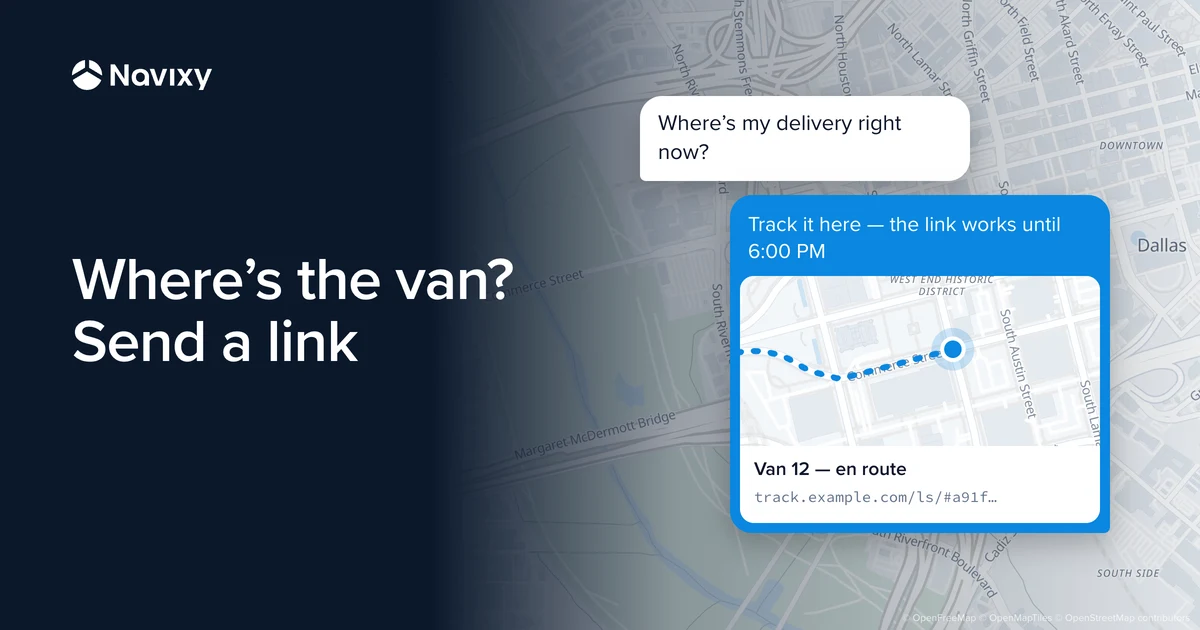
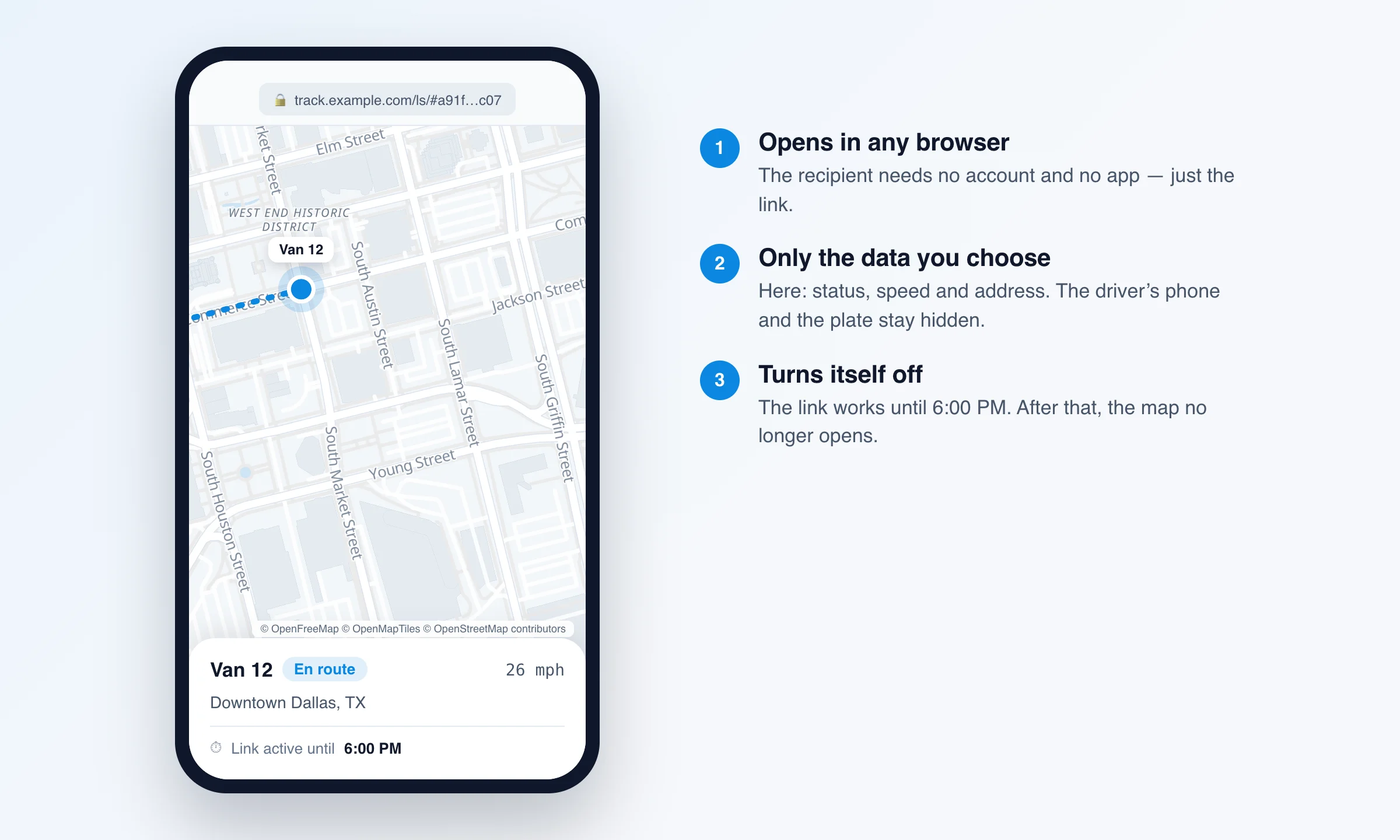
A location tracking link is an ordinary web link that shows the person who opens it where a van, a load or a field technician is right now. The recipient doesn't need an account or an app — the link opens in any browser. The sender decides which vehicles to show, which details to reveal and how long the link stays live.
One thing up front, because it's the most common question: a geo link shares the position of vehicles and objects that are already tracked on the platform and that the account owner has chosen to share. It can't look up where an arbitrary person is. If a link reveals the movements of a driver or a technician, the company sharing it is responsible for having their permission.
If you want to share locations with family, the simplest option is location sharing in Google Maps or Find My on iPhone, with both sides agreeing to it.
The rest of this post covers how live location links work in business and what Navixy Geo links can do in 2026.
Why businesses share live location
A company knows where its vans are because each one carries a GPS tracker. But people outside the company often need to know too: the customer waiting for a delivery, the shipper, the equipment renter, the client's security team. "Where's the truck?" calls eat up the dispatcher's time and everyone else's. A link cuts those calls down: people check the map themselves.
Typical use cases:
- Last-mile delivery. The customer gets a link to the driver's van and follows its progress on the map. Set the link to expire at the end of the delivery window, or switch it off when the delivery is done.
- Freight. The shipper follows the truck on the road and, where needed, sensor readings such as reefer temperature. See how Geo links work for FTL and LTL loads.
- Equipment rental. The renter sees where the excavator is working and whether the ignition is on, but only for the term of the contract. More on this in Geo links for construction asset visibility.
- Events and shuttles. Attendees see the shuttle on a map embedded right in the event website.
- Security and escort. The client's security team follows a high-value load only on the leg of the route that concerns them.
What Navixy Geo links can do
Geo links are a feature of the Navixy platform. Fleets that track vehicles through a Navixy partner use them, and so do the partners themselves, the telematics service providers.
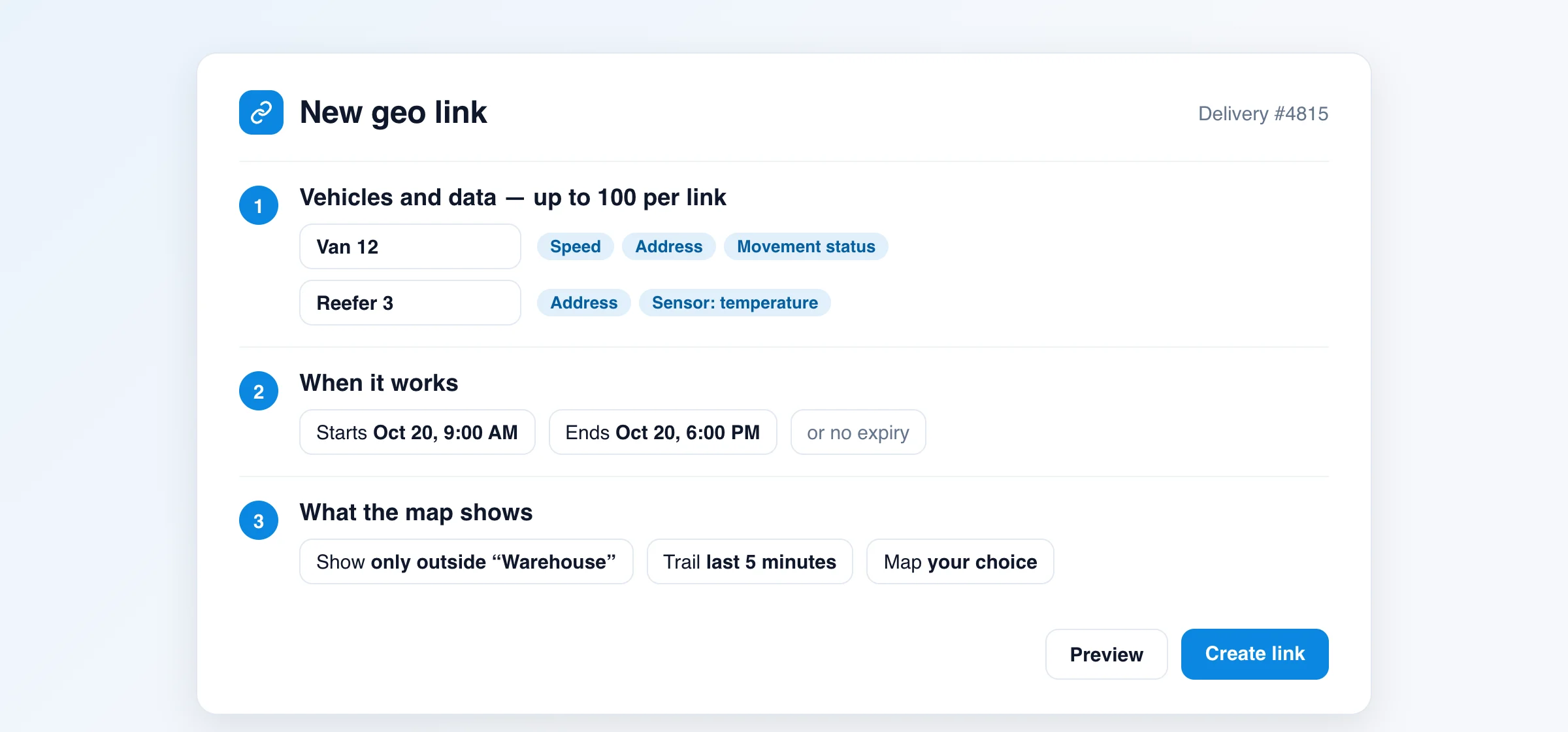
Vehicles and data. One link can include up to 100 vehicles or other tracked objects. For each one you can set the name the recipient sees and pick what to show beyond the dot on the map: speed, address, movement and connection status, the driver's name and phone number, the vehicle name and license plate, and sensor readings such as temperature, fuel or ignition, depending on the tracker model.
When it works. You can limit a link with a preset period or set an exact window, for example just for the length of a run. If the window starts in the future, the link turns on by itself at the right time. You can also create a link with no expiry. Any link can be switched off in one click and switched back on later; editing a link keeps its URL.
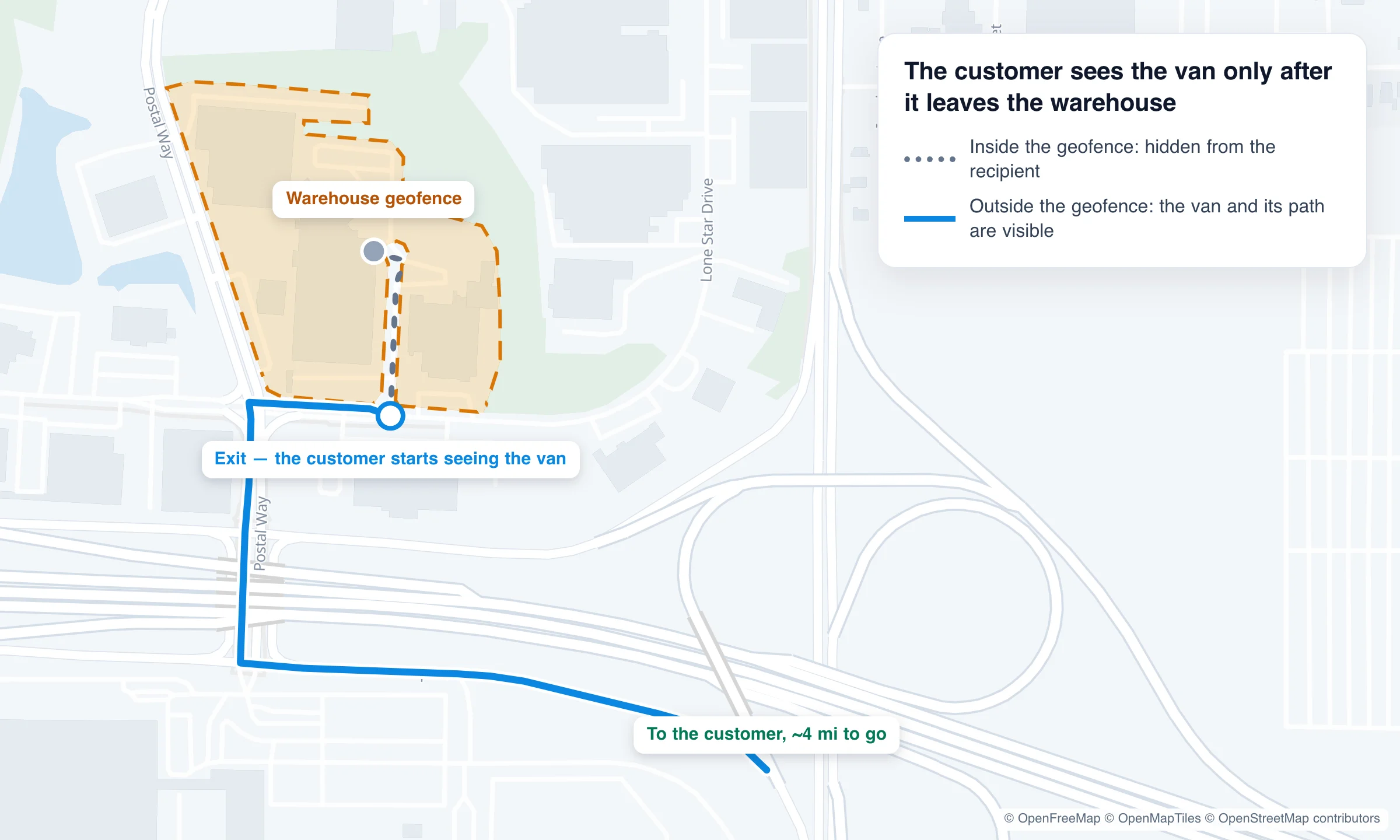
Visibility by geofence. You can show a vehicle only inside or only outside selected geofences. For example, the customer won't see the van while it's being loaded at the warehouse, only after it leaves. This matters more than it seems: the recipient sees exactly the part of the route that concerns them.
The map. You can pick the map provider, show selected geofences and places (POIs), turn on a trail for the last few minutes and auto-zoom when there are several vehicles. Before sending, you can preview the link exactly as the recipient will see it.
Where to create them. The platform's web interface has a link manager that lists every link in the account, with editing, copying and switching off. You can also create and manage links in the X-GPS Mobile app, so a dispatcher can text a link to a customer straight from a phone. Share a link any way you like: text message, email, WhatsApp, Telegram or Slack.
Embedding on a website. Each link comes with ready-made iframe code, so you can embed the map in your website, a customer portal or an internal dashboard and adjust the size of the window.
API for developers. You can create, edit, switch off and delete links through the platform API, for example to issue a link automatically when an order is created in your system and switch it off after delivery. One account can hold up to 10,000 links.
How to keep access under control
A location link is open access to data, so decide up front what you're showing:
- Set a time limit. For one-off jobs such as a delivery, a run or a shift, use a time window rather than a link with no expiry.
- Show only the fields you need. A delivery customer usually only needs the dot on the map; turn on the driver's phone number and the plate only when it really matters.
- Hide parts of the route with geofences: the warehouse, the yard, other customers' addresses.
- Switch the link off as soon as the job is done.
Anyone who has the link can open the shared view, including people it was forwarded to. That is why the time limit and the data you show matter most.
Who it's for
- Businesses with vans, trucks, freight or equipment that already track them on the Navixy platform through their provider: the feature is available in the web interface and in X-GPS Mobile.
- Telematics service providers that run their service on Navixy: Geo links cover a common customer request, "can you give us a link for our client?"
- Developers and integrators who need to build tracking into a CRM, a delivery website or a customer portal: the iframe and the API save you from building your own mapping layer.
Step-by-step instructions are in the Geo links documentation. If you run a telematics service and want to see how Geo links would work for your customers, get in touch.
FAQ
Can a link find someone who isn't already being tracked? No. A link shows only the tracked vehicles and objects the account owner has chosen to share, such as their own fleet. It can't look up where an arbitrary person is.
Does the recipient need to install an app? No. The link opens in any browser on a computer or a phone.
How long does a link stay live? As long as you set: from a few minutes to no expiry. You can set an exact window with a start and an end, and switch the link off manually at any time.
How many vehicles can one link show? Up to 100. One account can hold up to 10,000 links.
Can I show the map on my own website? Yes. Each link has ready-made iframe code, and the API covers automation.