> For the complete documentation index, see [llms.txt](https://navixy.com/docs/llms.txt). Markdown versions of documentation pages are available by appending `.md` to page URLs; this page is available as [Markdown](https://navixy.com/docs/admin/es/plans/suspending-service-for-a-device.md).
# Suspender un rastreador
Suspenda un rastreador cambiándolo a un plan de precios restringido, deteniendo el rastreo nuevo mientras conserva los datos históricos
Es posible que necesite suspender el servicio de un dispositivo en estos casos:
* El cliente omitió un pago y usted quiere detener el servicio hasta que pague.
* El cliente no usa el dispositivo durante un tiempo y usted quiere dejar de cobrarle, pero conservar su historial.
Para suspender un dispositivo, muévalo a un plan tarifario restringido.
{% hint style="warning" %}
Mientras un dispositivo está suspendido, no hace seguimiento y Navixy no registra ningún dato nuevo ni historial para él. El seguimiento y el registro del historial se reanudan cuando termina la suspensión, pero el historial del período de suspensión permanece vacío. El historial registrado antes de la suspensión permanece almacenado y disponible.
{% endhint %}
Para crear un plan tarifario que suspenda el servicio de un dispositivo, siga estos pasos:
{% stepper %}
{% step %}
## Abra la página de planes
Abra el Panel de administración y vaya a la **Planes** página.
{% endstep %}
{% step %}
## Cree un nuevo plan
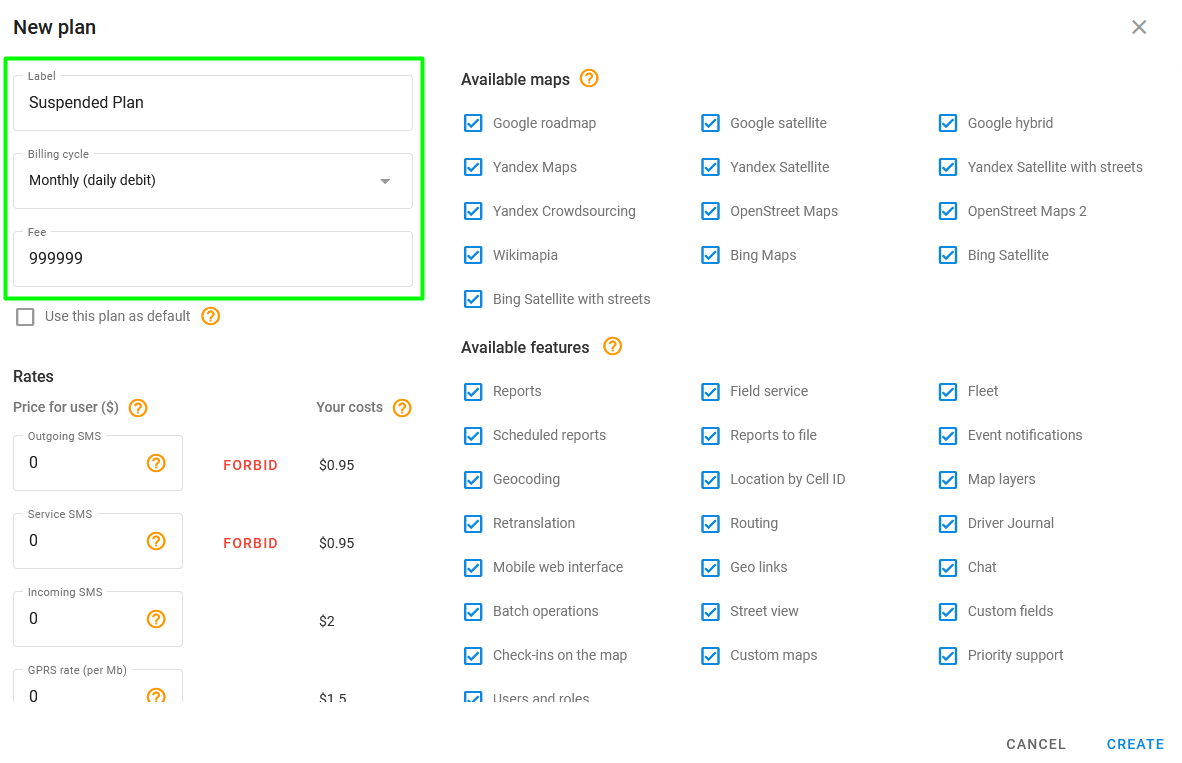
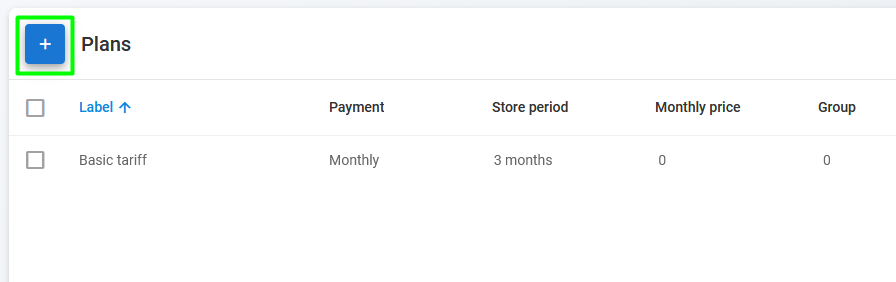
Haga clic en para crear un nuevo plan tarifario y darle un nombre (por ejemplo, «Plan suspendido»).
{% endstep %}
{% step %}
## Configure la facturación
Seleccione **Mensual (débito diario)** como ciclo de facturación y establezca la tarifa mensual en un valor muy alto, como $999,999. Esto evita que se le cobre al cliente durante el período de suspensión.
{% endstep %}
{% step %}
## Configure el resto del plan
En la configuración del plan tarifario, desactive las funciones que desee o deje la configuración predeterminada para restringir el uso del dispositivo.
{% endstep %}
{% step %}
## Finalice el proceso de creación
Haga clic en **Crear** para terminar de crear el plan.
{% endstep %}
{% step %}
## Asigne el plan a un dispositivo
Asigne el nuevo plan tarifario al dispositivo para el que desea suspender el servicio. El dispositivo se suspende a partir del día siguiente al cambio del plan tarifario.
{% endstep %}
{% endstepper %}
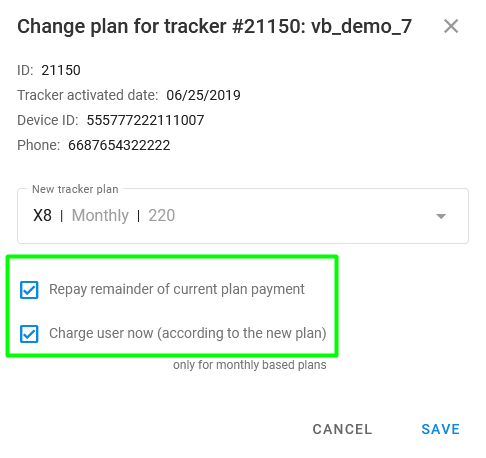
Debe verificar **Reembolsar el saldo restante del pago del plan tarifario actual** y **Cobrar al usuario ahora (según el nuevo plan)** al cambiar el plan tarifario.
Opciones de pago al cambiar de plan
---
# Agent Instructions
This documentation is published with GitBook. GitBook is the documentation platform designed so that both humans and AI agents can read, navigate, and reason over technical content effectively. Learn more at gitbook.com.
## Querying This Documentation
If you need additional information that is not directly available in this page, you can query the documentation by asking a question.
Perform an HTTP GET request on the following URL with the `ask` and `goal` query parameters:
```
GET https://navixy.com/docs/admin/es/plans/suspending-service-for-a-device.md?ask=&goal=
```
`ask` is the immediate question: it should be specific, self-contained, and written in natural language.
`goal` is what the user is ultimately trying to achieve, the reason they need the answer. Sharing it helps GitBook give you a better, more relevant answer. A goal is most helpful when it describes the outcome the user wants rather than restating the question. For example, with `ask=how do I create an API token`, a goal like `automate deployments from our CI pipeline` lets GitBook tailor the answer to that use case.
The response will contain a direct answer to the question and relevant excerpts and sources from the documentation.
Use this mechanism when the answer is not explicitly present in the current page, you need clarification or additional context, or you want to retrieve related documentation sections.
 para crear un nuevo plan tarifario y darle un nombre (por ejemplo, «Plan suspendido»).