> For the complete documentation index, see [llms.txt](https://navixy.com/docs/llms.txt). Markdown versions of documentation pages are available by appending `.md` to page URLs; this page is available as [Markdown](https://navixy.com/docs/admin/pt-br/users/create-user.md).

# Criando usuários

Crie contas de usuário individuais no Painel administrativo ou importe em massa vários usuários de uma vez de um arquivo XLSX ou CSV usando o modelo fornecido

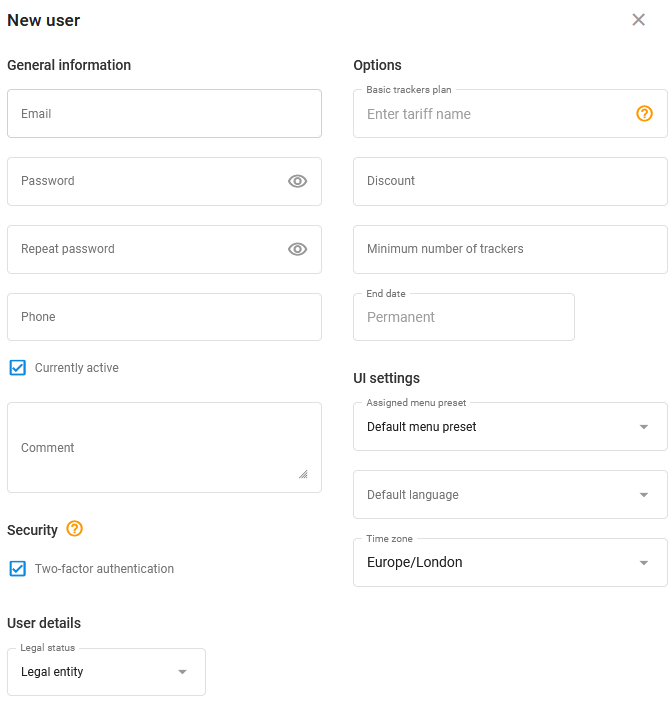
Para adicionar um novo usuário ao painel de administração, clique <img src="https://1027635053-files.gitbook.io/~/files/v0/b/gitbook-x-prod.appspot.com/o/spaces%2FKdgeXg71LpaDrwexQYwp%2Fuploads%2Fgit-blob-2de35aa34b37aff1abce7b10cafb7350c3d2d51e%2Fimage%20(75).png?alt=media" alt="" data-size="line"> na página Usuários. Isso abrirá a janela **Novo usuário**  :
<div data-full-width="true"><figure><img src="https://1027635053-files.gitbook.io/~/files/v0/b/gitbook-x-prod.appspot.com/o/spaces%2FKdgeXg71LpaDrwexQYwp%2Fuploads%2Fgit-blob-65e76ad6cb157130c6c78f32fd77de0f2fc428f0%2F%7BD375DB25-ED59-489C-A474-67EC065963B6%7D.png?alt=media" alt="New user pt1" width="504"><figcaption></figcaption></figure></div>

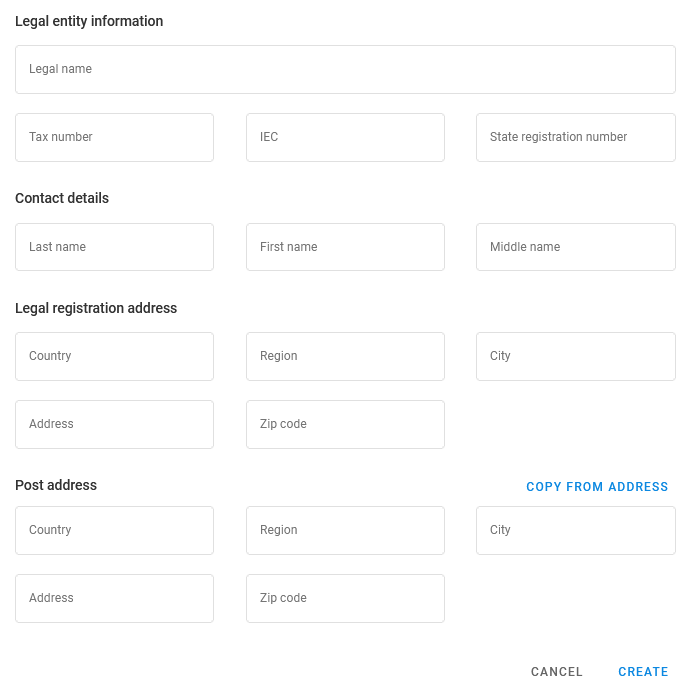
<div data-full-width="true"><figure><img src="https://1027635053-files.gitbook.io/~/files/v0/b/gitbook-x-prod.appspot.com/o/spaces%2FKdgeXg71LpaDrwexQYwp%2Fuploads%2Fgit-blob-2d27a232348eb36a377645a5c3059545c458eadb%2Fimage.png?alt=media" alt="New user pt2" width="514"><figcaption><p>Janela Novo usuário</p></figcaption></figure></div>

Informe um endereço de e-mail que será usado como login do usuário na plataforma Navixy e uma senha. Dependendo da situação jurídica do usuário (pessoa física, pessoa jurídica ou empresário individual), os campos obrigatórios também podem incluir nome, dados de contato e endereço legal e postal.

A seção **Configurações da interface** da janela contém a caixa de seleção **Ocultar IMEI do dispositivo** , que vem selecionada por padrão, conforme a configuração da plataforma. Desmarque-a ou marque-a para atribuir a esse usuário um valor diferente do restante da plataforma. Para saber o que essa caixa de seleção controla, consulte [Padrões do usuário](https://navixy.com/docs/admin/pt-br/settings/user-defaults.md#ui-settings).

## Como importar dados de usuários

Para adicionar vários usuários de uma só vez, você pode usar o recurso **Importar dados de usuários** na [barra de ferramentas do usuário](https://navixy.com/docs/admin/pt-br/users.md#user-toolbar). Clique em <img src="https://1027635053-files.gitbook.io/~/files/v0/b/gitbook-x-prod.appspot.com/o/spaces%2FKdgeXg71LpaDrwexQYwp%2Fuploads%2Fgit-blob-5afc3084a086b37df06b5967356d1d28b5200ee6%2Fimage.png?alt=media" alt="Import user data" data-size="line"> e carregue um arquivo XLSX ou CSV de até 10 MB. Para garantir que o arquivo esteja formatado corretamente, baixe um modelo clicando no link.
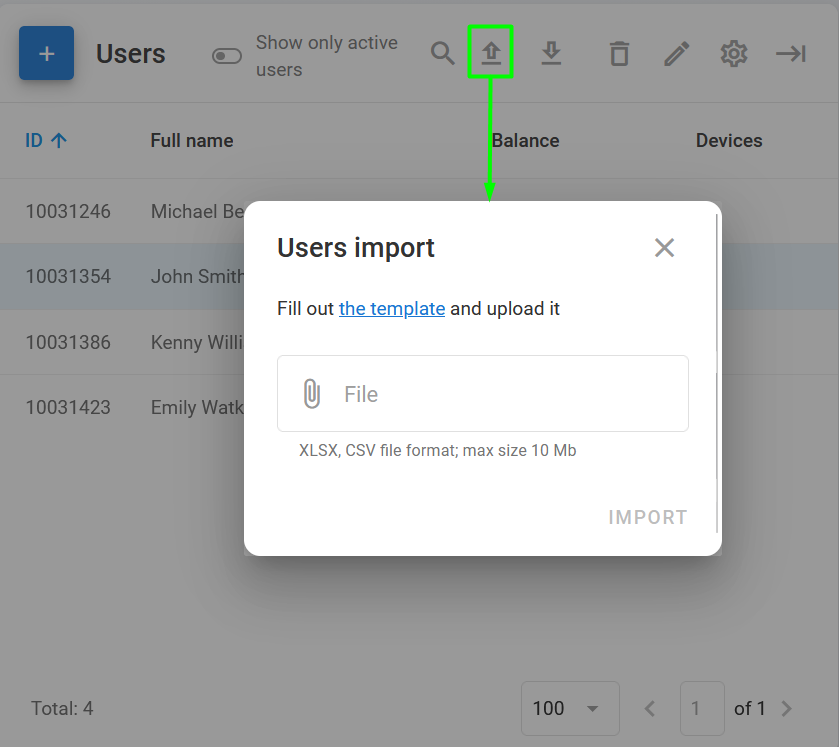
<figure><img src="https://1027635053-files.gitbook.io/~/files/v0/b/gitbook-x-prod.appspot.com/o/spaces%2FKdgeXg71LpaDrwexQYwp%2Fuploads%2Fgit-blob-6b41a6cfa252f54b448c48adf3d9ed13e252f0b4%2Fimage.png?alt=media" alt="User data import" width="375"><figcaption><p>Importação de dados de usuários</p></figcaption></figure>


---

# Agent Instructions
This documentation is published with GitBook. GitBook is the documentation platform designed so that both humans and AI agents can read, navigate, and reason over technical content effectively. Learn more at gitbook.com.

## Querying This Documentation
If you need additional information that is not directly available in this page, you can query the documentation by asking a question.

Perform an HTTP GET request on the following URL with the `ask` and `goal` query parameters:

```
GET https://navixy.com/docs/admin/pt-br/users/create-user.md?ask=<question>&goal=<user_goal>
```

`ask` is the immediate question: it should be specific, self-contained, and written in natural language.
`goal` is what the user is ultimately trying to achieve, the reason they need the answer. Sharing it helps GitBook give you a better, more relevant answer. A goal is most helpful when it describes the outcome the user wants rather than restating the question. For example, with `ask=how do I create an API token`, a goal like `automate deployments from our CI pipeline` lets GitBook tailor the answer to that use case.

The response will contain a direct answer to the question and relevant excerpts and sources from the documentation.

Use this mechanism when the answer is not explicitly present in the current page, you need clarification or additional context, or you want to retrieve related documentation sections.
