> For the complete documentation index, see [llms.txt](https://navixy.com/docs/llms.txt). Markdown versions of documentation pages are available by appending `.md` to page URLs; this page is available as [Markdown](https://navixy.com/docs/admin/ru/users/create-user.md).

# Создание пользователей

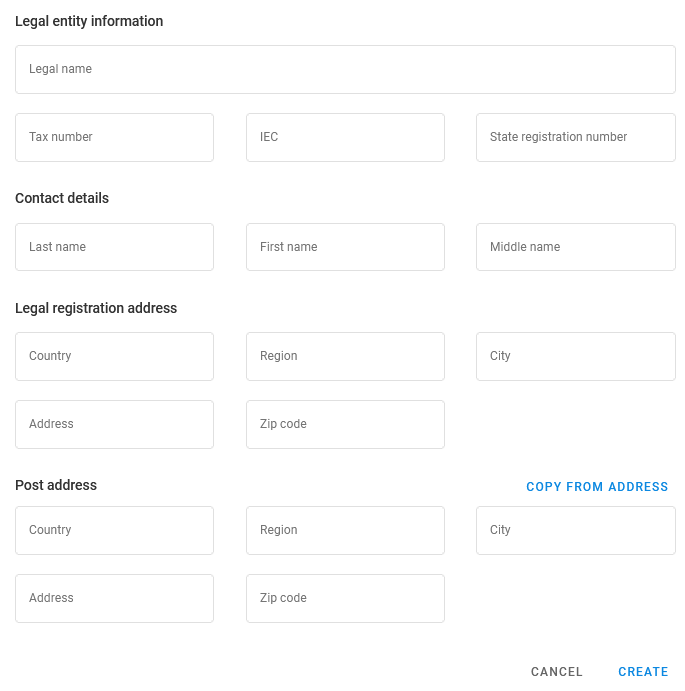
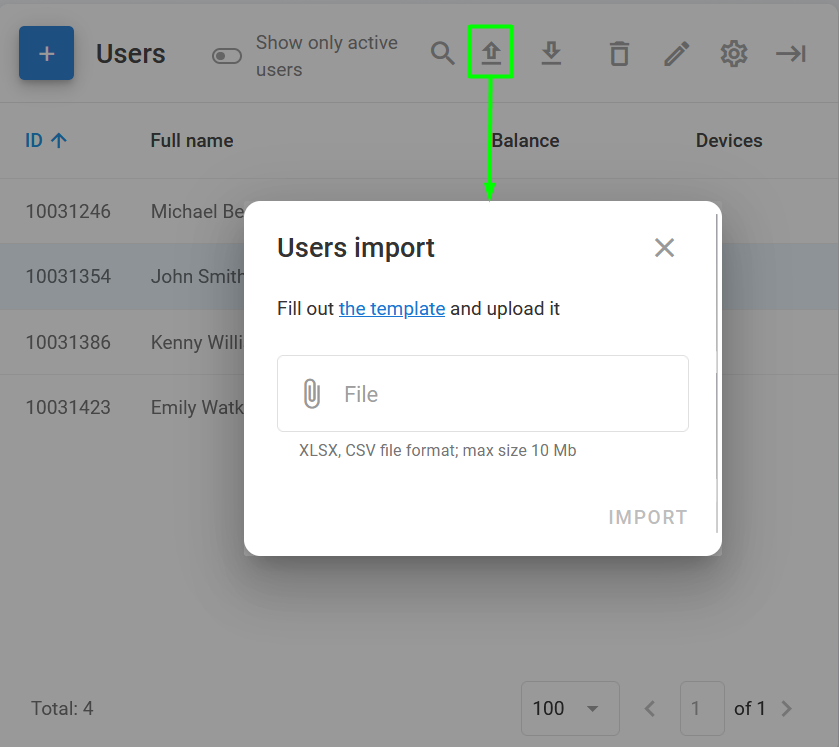
Чтобы добавить нового пользователя в Панель администратора, нажмите <img src="/files/29a47ebb0942166fa73363bb86e4d2c11641ffc4" alt="" data-size="line"> на странице Пользователи. Откроется **Новый пользователь** окно:

<div data-full-width="true"><figure><img src="/files/0bb7aa31e31ac3e29472d7e85670c368ee8b3d4b" alt="New user pt1" width="504"><figcaption></figcaption></figure></div>

<div data-full-width="true"><figure><img src="/files/6a640052096c8de48c04b843da1f4d9575dc63fb" alt="New user pt2" width="514"><figcaption><p>Окно «Новый пользователь»</p></figcaption></figure></div>

Введите адрес электронной почты, который будет использоваться в качестве логина пользователя на платформе, и пароль. В зависимости от юридического статуса пользователя (физическое лицо, юридическое лицо или индивидуальный предприниматель) в обязательные поля также могут входить его имя, контактные данные, юридический и почтовый адрес.

## Как импортировать данные пользователей

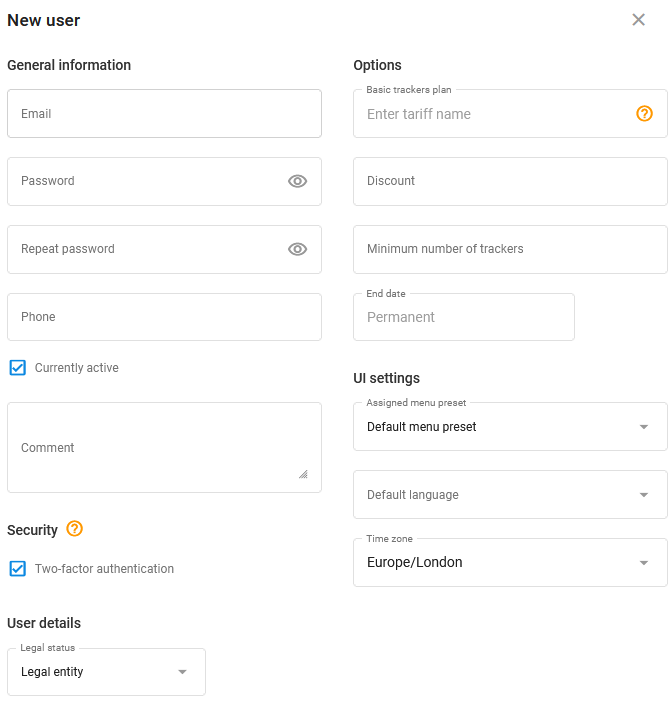
Чтобы одновременно добавить несколько новых пользователей, вы можете воспользоваться **Импорт данных пользователей** функцией в [Панели пользователей](/docs/admin/ru/users.md#user-toolbar). Просто нажмите <img src="/files/dec3a4194230a83cf717ba63f41112bd318f7c3d" alt="Import user data" data-size="line"> и загрузите файл XLSX или CSV размером не более 10 Мб. Чтобы убедиться, что файл правильно форматирован, скачайте шаблон, нажав по ссылке.

<figure><img src="/files/618d90e03715f4a67dea38e06ee2bde8c343cb93" alt="User data import" width="375"><figcaption><p>Импорт данных пользователей</p></figcaption></figure>


---

# Agent Instructions
This documentation is published with GitBook. GitBook is the documentation platform designed so that both humans and AI agents can read, navigate, and reason over technical content effectively. Learn more at gitbook.com.

## Querying This Documentation
If you need additional information that is not directly available in this page, you can query the documentation dynamically by asking a question.

Perform an HTTP GET request on the current page URL with the `ask` query parameter, and the optional `goal` query parameter:

```
GET https://navixy.com/docs/admin/ru/users/create-user.md?ask=<question>&goal=<endgoal>
```

`ask` is the immediate question: it should be specific, self-contained, and written in natural language.
`goal` is optional and describes the broader end goal you are ultimately trying to accomplish on behalf of the user. GitBook uses it to tailor the answer towards what is most useful for that goal.

The response will contain a direct answer to the question and relevant excerpts and sources from the documentation.

Use this mechanism when the answer is not explicitly present in the current page, you need clarification or additional context, or you want to retrieve related documentation sections.