> For the complete documentation index, see [llms.txt](https://navixy.com/docs/llms.txt). Markdown versions of documentation pages are available by appending `.md` to page URLs; this page is available as [Markdown](https://navixy.com/docs/user/guide/account/iot-logic/nodes/webhook-node.md).
# Webhook
Send HTTP POST requests to external APIs when IoT Logic receives device data. Build custom JSON payloads with static values and dynamic telemetry attributes.
## Technical overview and capabilities
{% columns %}
{% column width="58.333333333333336%" %}
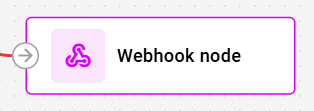
**Webhook** node enables real-time triggering of specific actions in external systems. It sends HTTP POST requests to specified endpoints upon receiving data from connected nodes. It then constructs custom JSON payloads with both static and dynamic attributes, and executes API calls to third-party services.
{% endcolumn %}
{% column width="41.666666666666664%" %}
{% endcolumn %}
{% endcolumns %}
The node extends IoT Logic's capabilities beyond data processing and transmission, enabling direct integration with messaging platforms, ERM and CRM systems, and custom applications to initiate automated actions based on your flow configuration.
{% hint style="info" %}
The webhook nodes are configured separately for each flow in the Navixy platform UI. Webhook nodes serve as terminal points in a flow and require at least one incoming connection to function. They cannot pass data to subsequent nodes.
{% endhint %}
### How Webhook nodes work
When data reaches a Webhook node through an incoming connection, it immediately executes an HTTP POST request to the configured endpoint. The node:
1. Collects current values for all attributes from connected upstream nodes
2. Replaces dynamic attribute references (e.g., `{{speed}}`) with actual values from the incoming message
3. Constructs the complete JSON payload preserving your defined structure
4. Sends the HTTP POST request with specified headers to the target endpoint
5. Continues without waiting for a response, allowing the flow to proceed immediately
The webhook fires once for each message that reaches it. If multiple parallel branches send data to the webhook, it fires separately for each incoming message. This execution happens independently without blocking other nodes in the flow, ensuring continuous data processing regardless of external system response times.
Each **Webhook** node's trigger result appears in [Data Stream Analyzer](/docs/user/guide/account/iot-logic/data-stream-analyzer.md) as an attribute named after the node's **Node ID** (shown in the node's configuration dialog, for example `webhook_1a2b3c4d`). The value is `0` when the node hasn't fired and `1` when it has, letting you confirm delivery and tell multiple Webhook nodes apart in the same flow.
### Flow architecture integration
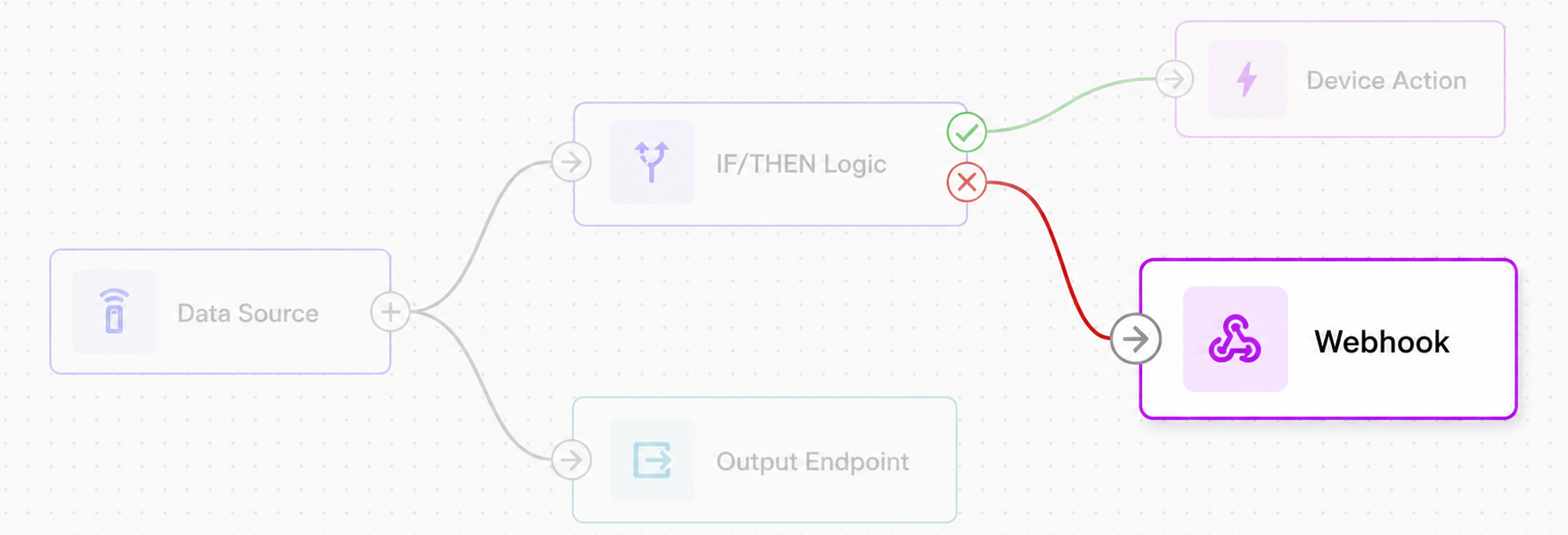
Webhook nodes function as termination points that convert processed device data into external API calls. Rather than continuously streaming all device data like Output Endpoint nodes, webhooks execute targeted API requests with precisely configured payloads. This architecture enables:
* **Event-driven automations**: Trigger external workflows based on device conditions, calculated metrics, or specific data patterns identified earlier in the flow
* **Selective data transmission**: Send only relevant attributes to external systems, reducing unnecessary data transfer and API costs
* **Parallel execution**: Operate alongside other output nodes, allowing simultaneous webhook triggers and continuous data streaming to different destinations
* **Multi-source integration**: Accept incoming connections from multiple parallel branches and access attributes from all connected nodes
### Node capabilities
The **Webhook node** offers:
* **HTTP POST execution**: Sends customized HTTP POST requests to any accessible endpoint using HTTP or HTTPS protocols (HTTPS recommended)
* **Dynamic payload construction**: Builds JSON request bodies combining static values with dynamic attributes from anywhere in the flow using `{{attribute_name}}` syntax
* **Custom header configuration**: Supports up to 10 user-defined HTTP headers for authentication, and API-specific requirements
* **Nested attribute support**: References complex attribute structures including nested objects and arrays within the JSON payload
* **Independent execution**: Fires without waiting for responses or blocking the flow, enabling reliable operation regardless of external system availability
## Configuration options
{% columns %}
{% column valign="middle" %}
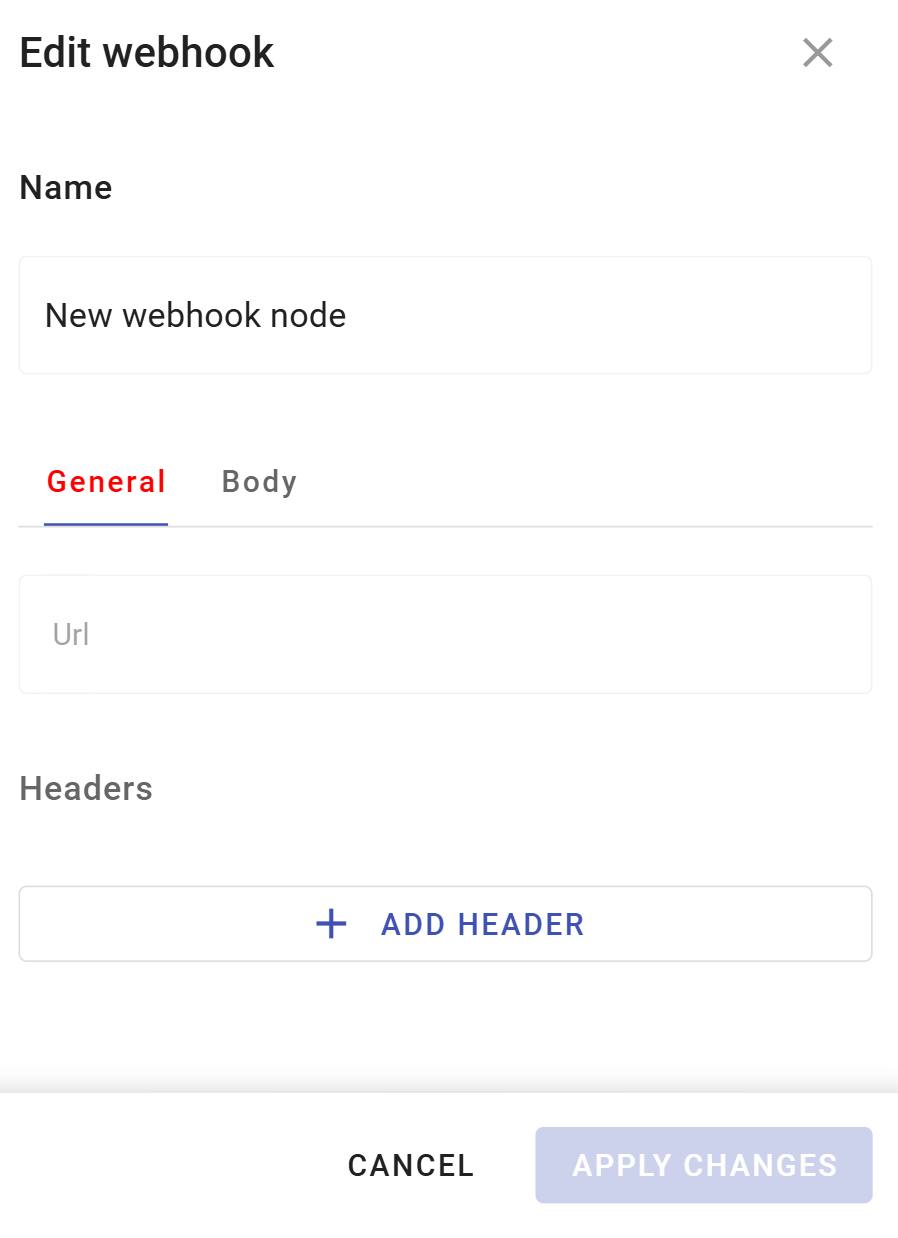
The Webhook node allows you to define how your flow will communicate with external systems through HTTP API calls.
{% endcolumn %}
{% column %}
{% endcolumn %}
{% endcolumns %}
Let's see what elements this node uses and what you can configure when working with it.
### Configuration steps
{% stepper %}
{% step %}
#### Specify node Name
Enter a descriptive name that identifies the webhook's purpose.
* Use names that indicate the target service or action (e.g., "Slack Speed Alerts" or "CRM Ticket Creation")
* This name appears in the flow diagram for easy identification
{% endstep %}
{% step %}
#### Node ID (automatically generated)
Below the Name field, the dialog displays a **Node ID** (for example, `webhook_1a2b3c4d`). This field is read-only — you can't edit or set its value.
* The ID is generated automatically when the node is created and stays the same for the life of the node
* Use it to tell this node's results apart from other Webhook nodes in [Data Stream Analyzer](/docs/user/guide/account/iot-logic/data-stream-analyzer.md), where it appears as an attribute showing `0` (not fired) or `1` (fired)
{% endstep %}
{% step %}
#### Configure the endpoint URL
Enter the complete URL where POST requests are sent.
* Include the protocol: `http://` or `https://` (HTTPS strongly recommended)
* Ensure the URL points to a valid API endpoint that accepts POST requests
* Example: `https://api.example.com/v1/webhooks/device-alerts`
{% endstep %}
{% step %}
#### Define HTTP headers
Add any headers required by your target API.
1. Click **Add header** to create header key-value pairs\
All headers are user-configured, including Content-Type. Common headers include:
* `Content-Type: application/json` (required for JSON payloads)
* `Authorization: Bearer ` (for API authentication)
* Custom API keys or authentication headers per service requirements
2. Click the delete icon to remove individual headers
{% hint style="info" %}
Maximum of 10 headers supported
{% endhint %}
{% endstep %}
{% step %}
#### Build the request body
Switch to the **Body** tab and define the JSON structure that is posted to the endpoint:
* Enter valid JSON syntax in the Body field
* Use `{{attribute_name}}` to reference any attribute from connected nodes
* Supports nested JSON structures and arrays
* Attribute references work with nested paths (e.g., `{{location.latitude}}`)
* If a referenced attribute is null or doesn't exist, the value `null` is sent in the JSON
**Example webhook body with dynamic attributes:**
```json
{
"alert_type": "speed_violation",
"device_id": "{{device_id}}",
"current_speed": "{{speed_mph}}",
"threshold_exceeded": 80,
"location": {
"lat": "{{latitude}}",
"lng": "{{longitude}}"
},
"timestamp": "{{message_time}}",
"driver": "{{hardware_key}}"
}
```
{% endstep %}
{% step %}
#### Save your configuration
Click **Apply changes** to store the webhook node settings.
{% endstep %}
{% endstepper %}
## Webhook execution behavior
The webhook executes without waiting for responses from the external endpoint. Success or failure of the webhook request doesn't affect the flow's continued operation or block other nodes from processing data.
{% hint style="danger" %}
Currently, webhook execution doesn't include automatic retries, logging of failed attempts, or response handling. If an endpoint returns an error or times out, the webhook will fire again on the next incoming message. Future updates may include destination-defined rate limits and request queueing.
{% endhint %}
### Webhook vs continuous data streaming
**Webhook node** differs fundamentally from **Output Endpoint node** in purpose and execution pattern:
| Webhook node | Output Endpoint node |
| ------------------------------------------------------------------------------------------------------------------------------------------------------------------------------------------- | ------------------------------------------------------------------------------------------------------------------------------------------------------------------------------------ |
| Executes discrete API calls on each message, sending custom payloads you define. Ideal for triggering external actions, sending notifications, or transmitting selective data to REST APIs. | Maintains continuous data streams via MQTT, transmitting complete device data in Navixy Generic Protocol format. Designed for ongoing telemetry collection and real-time monitoring. |
Choose webhooks when you need to trigger external automations or send only specific attributes to API endpoints. Use output endpoints for continuous data feeds to analytics platforms or monitoring systems. Both can coexist in the same flow.
### Integration with external systems
Webhook nodes excel at triggering event-driven actions in systems that provide REST APIs. Common integration patterns include:
* **Messaging platforms**: Send notifications to Slack, Microsoft Teams, WhatsApp, or Telegram when device conditions meet specific criteria
* **ERP systems**: Synchronize device data with enterprise resource planning platforms to update inventory levels, trigger procurement workflows, or log equipment usage for maintenance scheduling
* **Ticketing systems**: Automatically create support tickets or service requests in CRM platforms when device issues are detected
* **Alert services**: Trigger SMS, email, or push notifications through services like Twilio, SendGrid, or Firebase when thresholds are exceeded
* **Business automation**: Initiate workflows in tools like Zapier, Make (Integromat), or n8n based on device telemetry
* **Telematics systems**: Trigger specific actions or automations in third-party telematics solutions based on processed data, enabling event-driven workflows such as route recalculations, driver notifications, or status updates in external fleet management systems
* **Custom applications**: Activate proprietary business logic by posting device events to internal APIs
## Frequently asked questions
#### How do I trigger webhooks only under specific conditions?
Use the **IF/THEN Logic** node to implement conditional logic before the webhook. The **IF/THEN Logic** node can evaluate device attributes and route data to the webhook only when conditions are met. For details, see [IF/THEN Logic](/docs/user/guide/account/iot-logic/nodes/logic-node.md).
#### Can I use multiple Webhook nodes in the same flow?
Yes. Include multiple **Webhook nodes** with different configurations to trigger various external systems based on the same device data. Each webhook fires independently when it receives data.
#### What happens if the webhook request fails?
The webhook fires without waiting for a response and doesn't retry automatically. If the external endpoint is unavailable or returns an error, the flow continues processing normally. The webhook attempts to fire again when the next message arrives. Currently, there is no logging of failed webhook attempts.
#### How do I authenticate with external APIs?
Configure authentication entirely through custom headers. Common approaches:
* **Bearer tokens**: Add header `Authorization` with value `Bearer your_token_here`
* **API keys**: Add custom headers as specified by your API provider
* **Basic authentication**: Add header `Authorization` with value `Basic base64_encoded_credentials`
Always include `Content-Type: application/json` as a header when sending JSON payloads.
#### Can I reference attributes from multiple connected nodes?
Yes. The webhook node can access attributes from any node connected to it, including parallel branches. If multiple nodes send data to the webhook, it fires once for each incoming message and can reference attributes from that message's source path.
#### What data can I include in the webhook body?
You can include any combination of:
* Static values defined directly in your JSON configuration
* Dynamic attributes from the flow using `{{attribute_name}}` syntax
* Nested attributes from complex data structures
* Attributes calculated in **Initiate Attribute nodes** or processed through **IF/THEN Logic** nodes
The body must be valid JSON. If a referenced attribute doesn't exist or contains a null value, `null` is sent in the JSON.
#### How can I test my webhook configuration?
Open [Data Stream Analyzer](/docs/user/guide/account/iot-logic/data-stream-analyzer.md) for the flow and select the triggering device. Look for the attribute matching this node's Node ID: its value switches to `1` each time the webhook fires, `0` otherwise. This confirms the webhook fired without needing access to the destination endpoint.
To verify the destination actually received the expected payload, consider using webhook testing services like webhook.site or RequestBin during development to inspect the exact requests being sent.
---
# Agent Instructions
This documentation is published with GitBook. GitBook is the documentation platform designed so that both humans and AI agents can read, navigate, and reason over technical content effectively. Learn more at gitbook.com.
## Querying This Documentation
If you need additional information that is not directly available in this page, you can query the documentation by asking a question.
Perform an HTTP GET request on the following URL with the `ask` and `goal` query parameters:
```
GET https://navixy.com/docs/user/guide/account/iot-logic/nodes/webhook-node.md?ask=&goal=
```
`ask` is the immediate question: it should be specific, self-contained, and written in natural language.
`goal` is what the user is ultimately trying to achieve, the reason they need the answer. Sharing it helps GitBook give you a better, more relevant answer. A goal is most helpful when it describes the outcome the user wants rather than restating the question. For example, with `ask=how do I create an API token`, a goal like `automate deployments from our CI pipeline` lets GitBook tailor the answer to that use case.
The response will contain a direct answer to the question and relevant excerpts and sources from the documentation.
Use this mechanism when the answer is not explicitly present in the current page, you need clarification or additional context, or you want to retrieve related documentation sections.