> For the complete documentation index, see [llms.txt](https://navixy.com/docs/llms.txt). Markdown versions of documentation pages are available by appending `.md` to page URLs; this page is available as [Markdown](https://navixy.com/docs/user/id/guide/field-service/departments-field-service.md).
# Departemen
Atur karyawan layanan lapangan ke dalam departemen bernama di Navixy. Tetapkan staf ke departemen dan gunakan untuk memfilter penugasan tugas dan laporan.
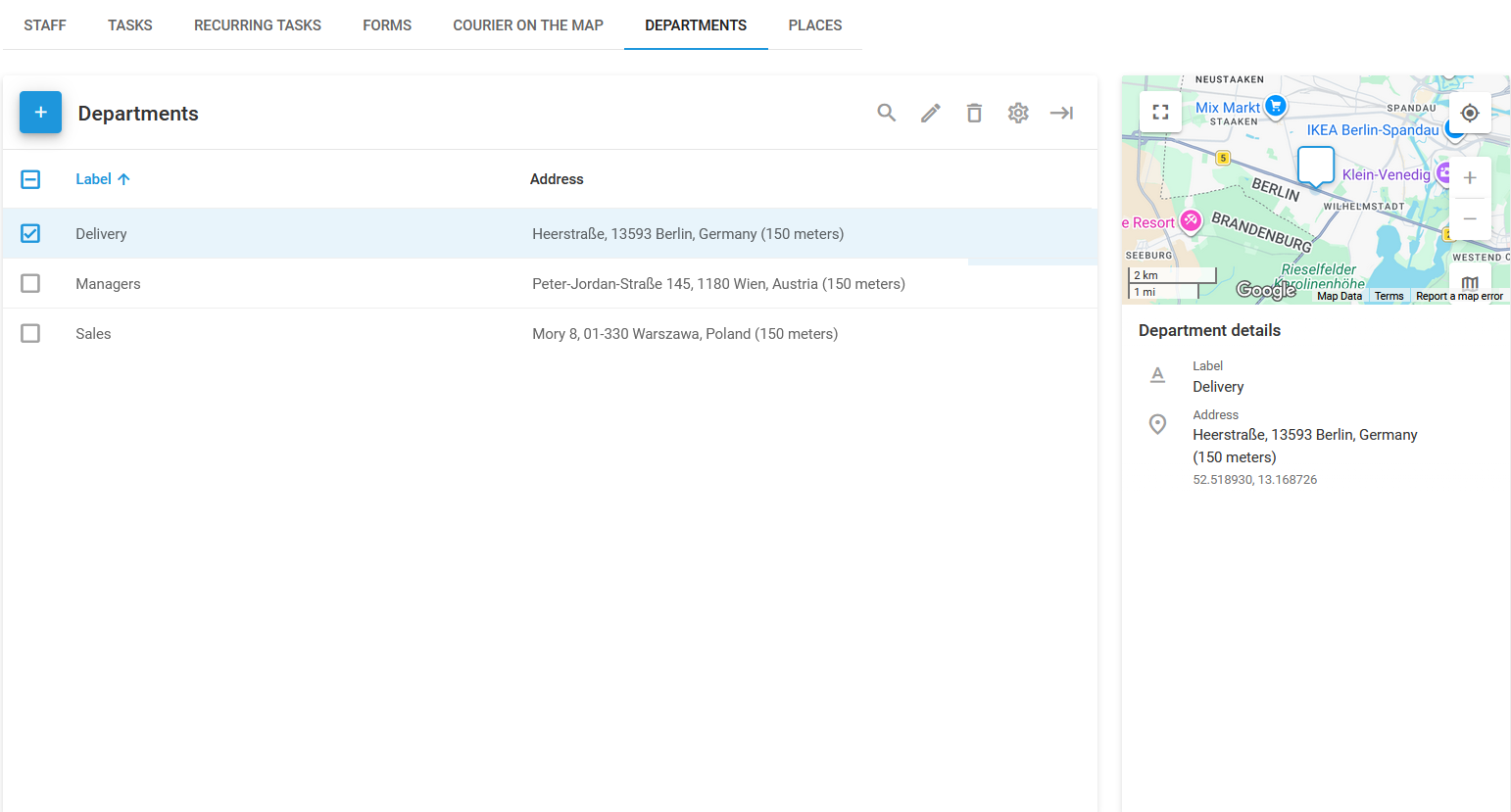
Blok **Departemen** halaman di Navixy **layanan lapangan** modul ini memungkinkan Anda mengatur tenaga kerja Anda dengan mengelompokkan karyawan ke dalam departemen tertentu. Struktur organisasi ini membantu menyederhanakan penugasan Tugas, pelaporan, dan pengelolaan operasi lapangan secara keseluruhan.
Anda dapat menetapkan karyawan ke departemen pada [Staf](/docs/user/id/guide/field-service/staff.md#assign-employee-to-department) halaman.
halaman Departemen
Daftar departemen digunakan untuk mengelola berbagai departemen di organisasi Anda. Setiap departemen dapat diberi label, seperti "Pengiriman" atau "Penjualan," untuk mencerminkan fungsi spesifik tim.
## Cara membuat departemen baru
{% stepper %}
{% step %}
#### Buka Departemen
Buka **Departemen** halaman di **layanan lapangan** modul.
{% endstep %}
{% step %}
#### Mulai membuat departemen
Klik **+** untuk membuka dialog pembuatan departemen.
{% endstep %}
{% step %}
#### Masukkan detail departemen

* **Label**: Berikan nama untuk departemen.
* **Alamat**: Masukkan lokasi fisik departemen atau gunakan peta untuk memilih titik.
* **Radius**: Tentukan radius di sekitar lokasi departemen. Ini membantu dalam menetapkan Tugas berdasarkan kedekatan dengan departemen.
{% endstep %}
{% step %}
#### Selesaikan pembuatan departemen
Setelah mengisi detail yang diperlukan, klik **Simpan** untuk membuat departemen.
{% endstep %}
{% endstepper %}
Setelah departemen dibuat, departemen tersebut akan muncul di **Departemen** halaman, tempat Anda dapat melihat detailnya, seperti nama dan alamat. Halaman ini juga memungkinkan Anda mengedit atau menghapus departemen sesuai kebutuhan.
Dengan menggunakan fitur Departemen, Anda dapat memastikan bahwa Tugas diberikan kepada tim yang tepat, sehingga meningkatkan efisiensi dan produktivitas operasi layanan lapangan Anda.
---
# Agent Instructions
This documentation is published with GitBook. GitBook is the documentation platform designed so that both humans and AI agents can read, navigate, and reason over technical content effectively. Learn more at gitbook.com.
## Querying This Documentation
If you need additional information that is not directly available in this page, you can query the documentation by asking a question.
Perform an HTTP GET request on the following URL with the `ask` and `goal` query parameters:
```
GET https://navixy.com/docs/user/id/guide/field-service/departments-field-service.md?ask=&goal=
```
`ask` is the immediate question: it should be specific, self-contained, and written in natural language.
`goal` is what the user is ultimately trying to achieve, the reason they need the answer. Sharing it helps GitBook give you a better, more relevant answer. A goal is most helpful when it describes the outcome the user wants rather than restating the question. For example, with `ask=how do I create an API token`, a goal like `automate deployments from our CI pipeline` lets GitBook tailor the answer to that use case.
The response will contain a direct answer to the question and relevant excerpts and sources from the documentation.
Use this mechanism when the answer is not explicitly present in the current page, you need clarification or additional context, or you want to retrieve related documentation sections.