> For the complete documentation index, see [llms.txt](https://navixy.com/docs/llms.txt). Markdown versions of documentation pages are available by appending `.md` to page URLs; this page is available as [Markdown](https://navixy.com/docs/user/id/guide/field-service/places-field-service.md).
# Area
Kelola area penting untuk layanan lapangan: tambahkan lokasi pelanggan dan lokasi utama yang dikunjungi staf Anda, lalu gunakan untuk menyederhanakan penugasan tugas dan rute.
**Area (atau POI)** di **layanan lapangan** Modul ini dapat digunakan untuk mengatur dan mengelola lokasi-lokasi penting yang perlu dikunjungi staf lapangan Anda, seperti alamat pelanggan, lokasi perusahaan, atau titik-titik penting lainnya. Hal ini membantu menyederhanakan penugasan tugas, mengoptimalkan rute, dan memastikan operasional lapangan yang efisien.
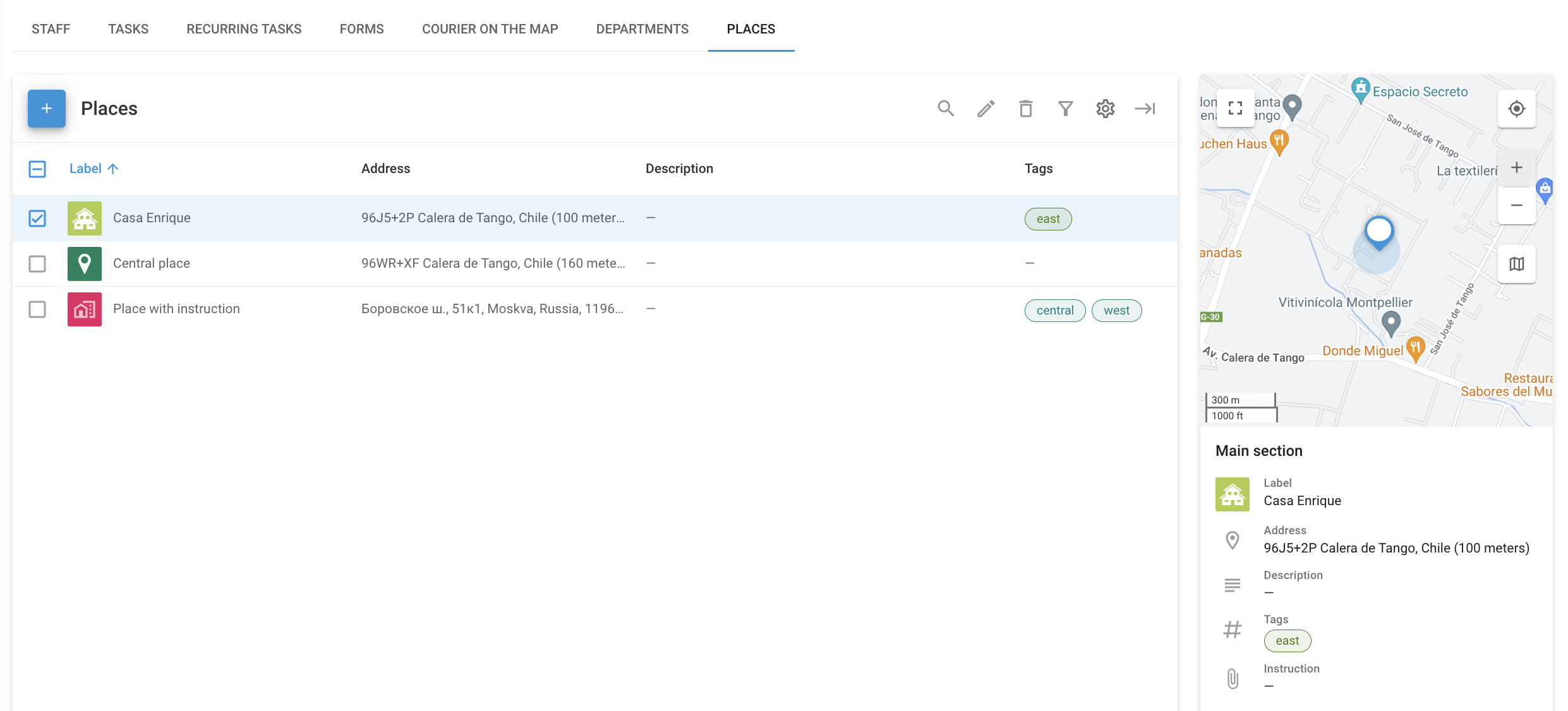
Halaman ini memuat daftar semua Area yang tersedia beserta detailnya, termasuk kolom isian yang telah Anda tambahkan.
Halaman Area
## Cara membuat Tempat
{% stepper %}
{% step %}
#### Buka Area
Buka **Area** halaman di **layanan lapangan** modul.
{% endstep %}
{% step %}
#### Mulai membuat Tempat
Klik **+** untuk membuka dialog pembuatan tempat.
{% endstep %}
{% step %}
#### Masukkan detail tempat
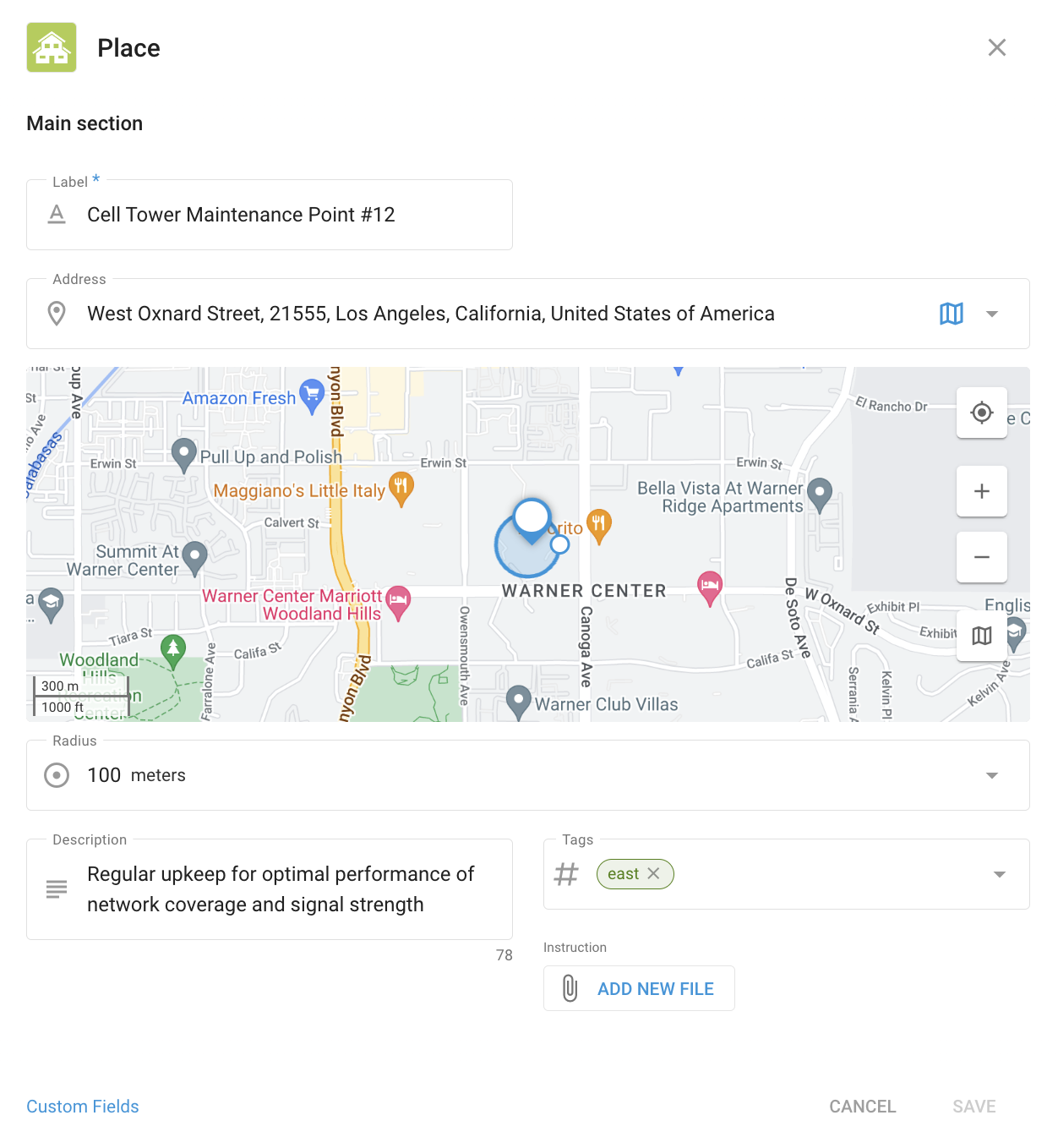
Membuat tempat
Masukkan label, alamat, dan radius tempat. Anda juga dapat menambahkan deskripsi, tagar, dan berkas.
{% endstep %}
{% step %}
#### (Opsional) Tambahkan kolom isian
Kolom isian memungkinkan Anda menambahkan detail tambahan yang tidak tercakup oleh opsi standar. Kolom-kolom ini disesuaikan dengan kebutuhan bisnis Anda. Isinya dapat mencakup jenis peralatan yang disimpan di lokasi, jadwal pemeliharaan lokasi, kode keamanan, atau kontak manajer.
Untuk mengelola kolom isian, simpan tempat, lalu buka kembali dan klik **Kolom isian** untuk membuka **Kolom isian** halaman Area. Pelajari cara mengonfigurasinya di [Kolom isian](/docs/user/id/guide/account/custom-fields.md) artikel.
{% endstep %}
{% endstepper %}
## Cara menggunakan Area
Area digunakan sebagai alat peta untuk membantu Anda melacak objek Anda di **Pelacakan** modul. Untuk mempelajari lebih lanjut tentang penggunaannya untuk pemantauan peta, lihat [Area (POI)](/docs/user/id/guide/tracking/map-tools/places-pois.md). Node **Pelacakan** modul ini juga memungkinkan [mengimpornya](/docs/user/id/guide/tracking/map-tools/places-pois.md#importing-places-from-an-excel-file).
---
# Agent Instructions
This documentation is published with GitBook. GitBook is the documentation platform designed so that both humans and AI agents can read, navigate, and reason over technical content effectively. Learn more at gitbook.com.
## Querying This Documentation
If you need additional information that is not directly available in this page, you can query the documentation by asking a question.
Perform an HTTP GET request on the following URL with the `ask` and `goal` query parameters:
```
GET https://navixy.com/docs/user/id/guide/field-service/places-field-service.md?ask=&goal=
```
`ask` is the immediate question: it should be specific, self-contained, and written in natural language.
`goal` is what the user is ultimately trying to achieve, the reason they need the answer. Sharing it helps GitBook give you a better, more relevant answer. A goal is most helpful when it describes the outcome the user wants rather than restating the question. For example, with `ask=how do I create an API token`, a goal like `automate deployments from our CI pipeline` lets GitBook tailor the answer to that use case.
The response will contain a direct answer to the question and relevant excerpts and sources from the documentation.
Use this mechanism when the answer is not explicitly present in the current page, you need clarification or additional context, or you want to retrieve related documentation sections.