> For the complete documentation index, see [llms.txt](https://navixy.com/docs/llms.txt). Markdown versions of documentation pages are available by appending `.md` to page URLs; this page is available as [Markdown](https://navixy.com/docs/user/ru/guide/field-service/departments-field-service.md).
# Отделы
Организуйте сотрудников в «Управление сотрудниками» по именованным отделам в Navixy. Назначайте сотрудников отделам и используйте их для фильтрации назначений заданий и отчетов.
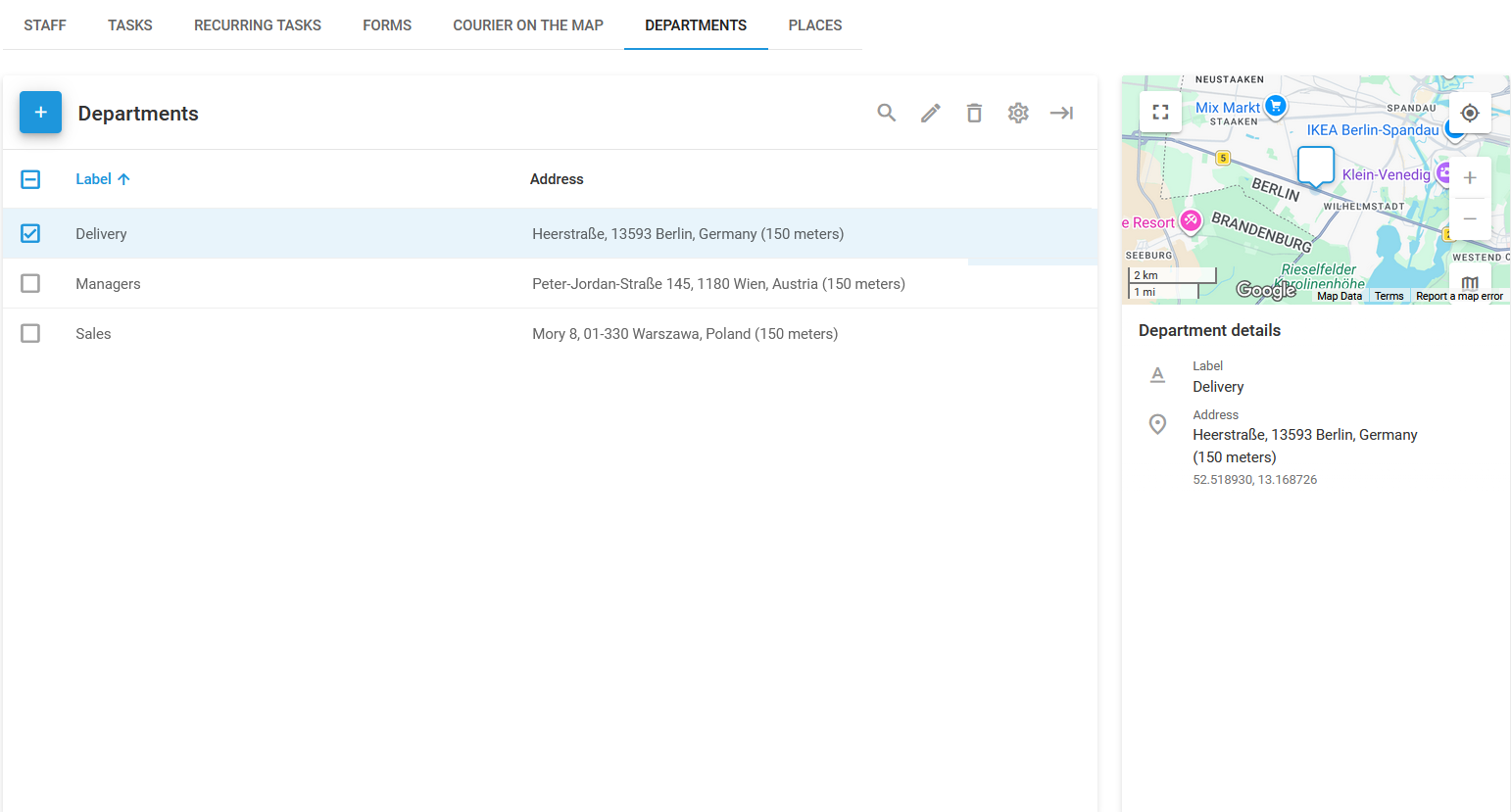
Вкладка **Отделы** страница в Navixy **Управление сотрудниками** Модуль позволяет организовать ваш персонал, распределяя сотрудников по конкретным отделам. Такая организационная структура помогает упростить назначение заданий, отчетность и общее управление выездными работами.
Вы можете назначать сотрудников на отделы на [Сотрудники](/docs/user/ru/guide/field-service/staff.md#assign-employee-to-department) странице.
странице «Отделы»
Список отделов используется для управления разными отделами в вашей организации. Каждый отдел может иметь название, например «Доставка» или «Продажи», чтобы отражать конкретную функцию команды.
## Как создать новый отдел
{% stepper %}
{% step %}
#### Перейдите в раздел «Отделы»
Откройте **Отделы** страница в разделе **Управление сотрудниками** модуль.
{% endstep %}
{% step %}
#### Начните создавать отдел
Нажмите **+** чтобы открыть диалог создания отдела.
{% endstep %}
{% step %}
#### Введите данные отдела

* **Метка**: Укажите название отдела.
* **Адрес**: Укажите физическое местоположение отдела или используйте карту, чтобы выбрать точку.
* **Радиус**: Определите радиус вокруг местоположения отдела. Это помогает назначать задания с учетом близости к отделу.
{% endstep %}
{% step %}
#### Завершите создание отдела
После заполнения необходимых данных нажмите **Сохранить** чтобы создать отдел.
{% endstep %}
{% endstepper %}
После создания отдела он появится на **Отделы** странице, где вы сможете просмотреть его сведения, такие как название и адрес. На этой странице также можно при необходимости редактировать или удалять отделы.
Используя функцию «Отделы», вы можете быть уверены, что задания назначаются подходящим командам, что повышает эффективность и продуктивность ваших операций по управлению сотрудниками.
---
# Agent Instructions
This documentation is published with GitBook. GitBook is the documentation platform designed so that both humans and AI agents can read, navigate, and reason over technical content effectively. Learn more at gitbook.com.
## Querying This Documentation
If you need additional information that is not directly available in this page, you can query the documentation by asking a question.
Perform an HTTP GET request on the following URL with the `ask` and `goal` query parameters:
```
GET https://navixy.com/docs/user/ru/guide/field-service/departments-field-service.md?ask=&goal=
```
`ask` is the immediate question: it should be specific, self-contained, and written in natural language.
`goal` is what the user is ultimately trying to achieve, the reason they need the answer. Sharing it helps GitBook give you a better, more relevant answer. A goal is most helpful when it describes the outcome the user wants rather than restating the question. For example, with `ask=how do I create an API token`, a goal like `automate deployments from our CI pipeline` lets GitBook tailor the answer to that use case.
The response will contain a direct answer to the question and relevant excerpts and sources from the documentation.
Use this mechanism when the answer is not explicitly present in the current page, you need clarification or additional context, or you want to retrieve related documentation sections.