> For the complete documentation index, see [llms.txt](https://navixy.com/docs/llms.txt). Markdown versions of documentation pages are available by appending `.md` to page URLs; this page is available as [Markdown](https://navixy.com/docs/user/ru/guide/x-gps-mobile-apps/x-gps-tracker/invitation-to-x-gps-tracker.md).
# Приглашение для X-GPS Tracker
Отправьте приглашение на установку X-GPS Tracker на устройство iOS или Android сотрудника, превращая его смартфон в GPS-трекер, связанный с вашей учетной записью Navixy.
Вы можете превратить смартфон или планшет в устройство GPS-мониторинга, установив наше **X-GPS Tracker** Приложение. Наше приложение доступно для скачивания в Google Play и iOS App Store и совершенно бесплатно.
Процесс активации одинаков для устройств iOS и Android.
## Активация X-GPS Tracker
{% columns %}
{% column %}
1. Войдите в учетную запись пользователя.
{% endcolumn %}
{% column %}
{% endcolumn %}
{% endcolumns %}
{% columns %}
{% column %}
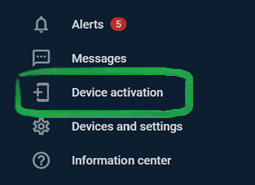
2\. Нажмите **Значок Активация устройства** на панели приложения.
{% endcolumn %}
{% column %}
{% endcolumn %}
{% endcolumns %}
{% columns %}
{% column %}
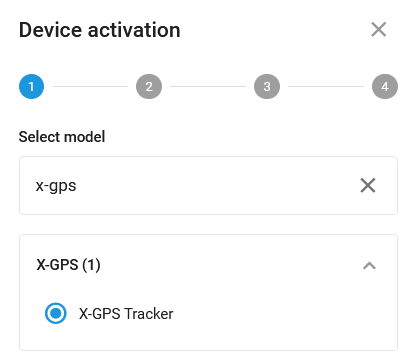
3\. Введите **X-GPS Tracker** в **Выберите модель** поле и выберите его. Нажмите **Далее.**
{% endcolumn %}
{% column %}
{% endcolumn %}
{% endcolumns %}
{% columns %}
{% column %}
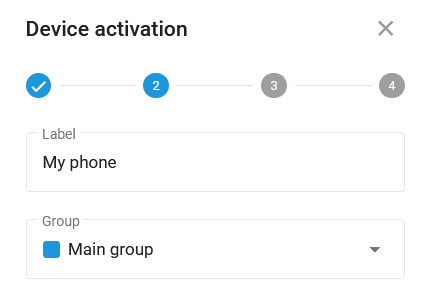
3\. Введите название создаваемого объекта. Нажмите **Далее**.
{% endcolumn %}
{% column %}
{% endcolumn %}
{% endcolumns %}
{% columns %}
{% column %}
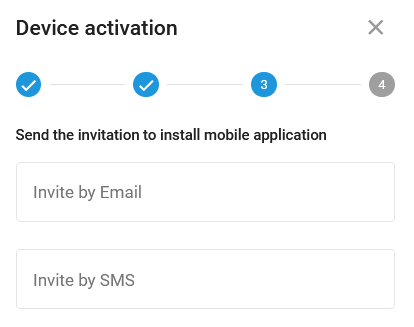
4\. Введите адрес электронной почты или номер телефона, чтобы получить приглашение со ссылкой для скачивания.
{% endcolumn %}
{% column %}
{% endcolumn %}
{% endcolumns %}
{% columns %}
{% column %}
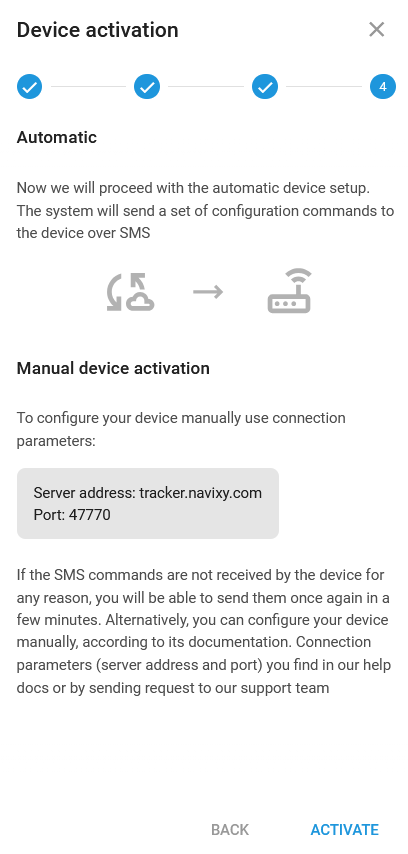
5\. Вы получите инструкции по автоматической и ручной настройке. Нажмите **Активируйте.**
{% endcolumn %}
{% column %}
{% endcolumn %}
{% endcolumns %}
{% columns %}
{% column %}
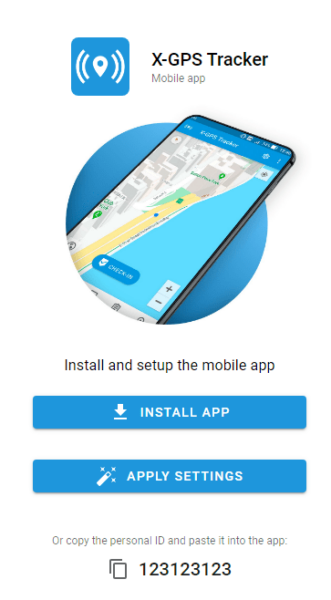
6\. После установки **X-GPS Tracker,** приложение будет настроено, а мобильный телефон или планшет будут превращены в **трекер** отображается на платформе. В качестве альтернативы введите ID, который вы получили по электронной почте.
{% endcolumn %}
{% column %}
{% endcolumn %}
{% endcolumns %}
---
# Agent Instructions
This documentation is published with GitBook. GitBook is the documentation platform designed so that both humans and AI agents can read, navigate, and reason over technical content effectively. Learn more at gitbook.com.
## Querying This Documentation
If you need additional information that is not directly available in this page, you can query the documentation by asking a question.
Perform an HTTP GET request on the following URL with the `ask` and `goal` query parameters:
```
GET https://navixy.com/docs/user/ru/guide/x-gps-mobile-apps/x-gps-tracker/invitation-to-x-gps-tracker.md?ask=&goal=
```
`ask` is the immediate question: it should be specific, self-contained, and written in natural language.
`goal` is what the user is ultimately trying to achieve, the reason they need the answer. Sharing it helps GitBook give you a better, more relevant answer. A goal is most helpful when it describes the outcome the user wants rather than restating the question. For example, with `ask=how do I create an API token`, a goal like `automate deployments from our CI pipeline` lets GitBook tailor the answer to that use case.
The response will contain a direct answer to the question and relevant excerpts and sources from the documentation.
Use this mechanism when the answer is not explicitly present in the current page, you need clarification or additional context, or you want to retrieve related documentation sections.