Build a data model that matches your telematics business with Business Data Repository

AuthorSam Ershov, Product owner, Core
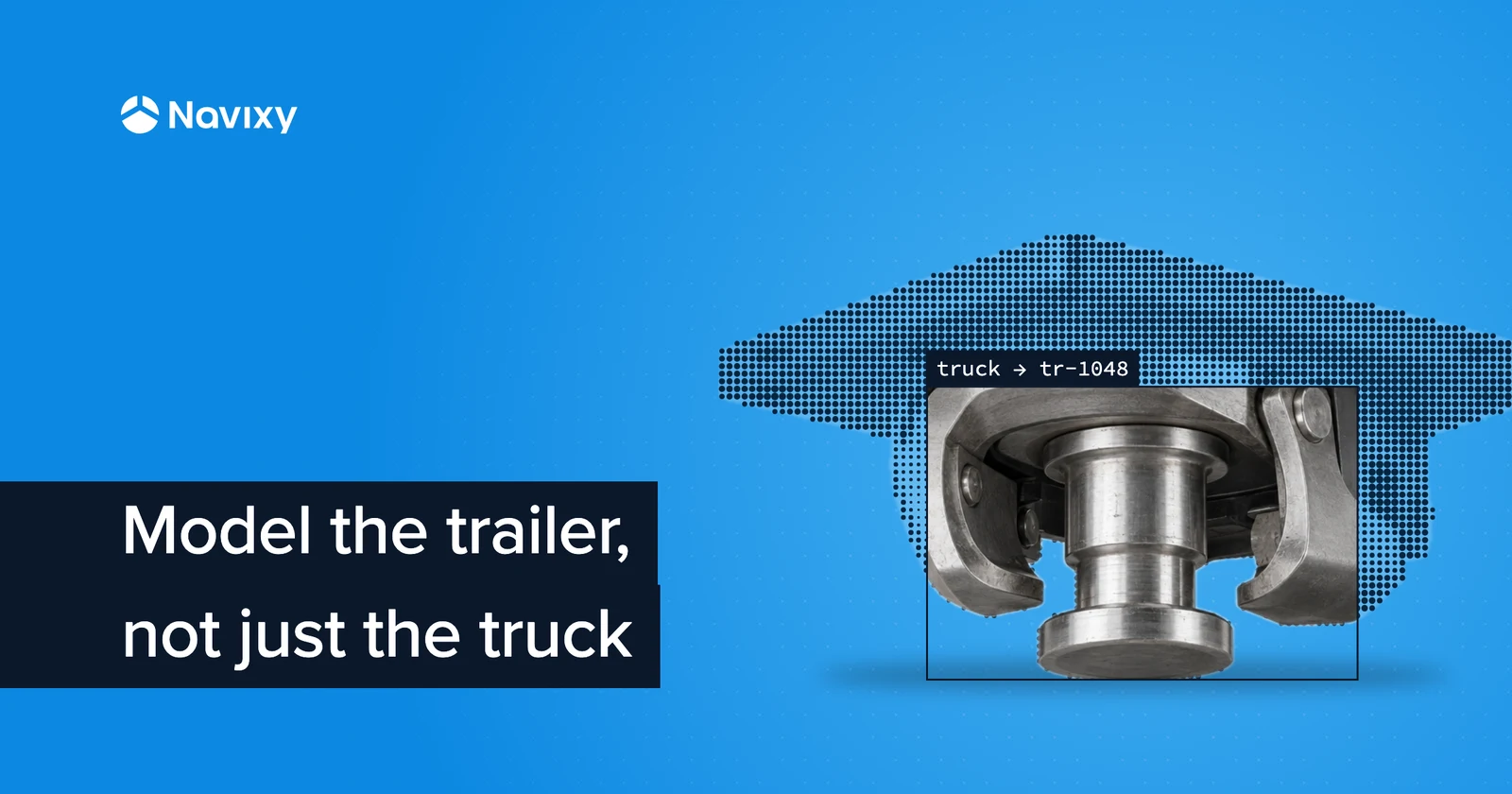
A telematics platform usually starts with a familiar set of objects: vehicles, devices, drivers, geofences.
Real customer operations rarely stop there.
A logistics company may also need trailers, contracts, depots, cargo types, and maintenance records. A rental business may work with branches, equipment categories, customers, and rental units. A systems integrator may need to connect information from multiple business systems to the same physical asset.
That is where a rigid platform data model starts becoming a problem.
You can add a second database next to the telematics platform. You can encode business data into notes and tags. Or you can build a synchronization layer that constantly translates between the customer's model and the platform's model.
All three approaches work. None of them age well.
Take a common logistics setup: one truck can work with different trailers, and each trailer may carry its own tracking and sensor equipment. The business needs to know not only where the truck is, but which trailer is attached to it, which devices belong to that trailer, and what operational data is associated with each part of the setup.
In a rigid data model, representing those relationships usually means extra tables, duplicated identifiers, or synchronization logic outside the telematics platform.
Business Data Repository is being built to model that structure directly. An integrator can define trucks, trailers, equipment, contracts, or other business objects, connect them through explicit relationships, and extend each type with the attributes its operation requires. The same approach can then be applied to a construction fleet, rental operation, cold-chain business, or almost any other customer-specific model.
The GraphQL Repository API is the contract behind that flexibility. It gives integrators a consistent way to define and work with those connected business entities without waiting for changes to the platform schema. SDKs for Kotlin, TypeScript, and Python are planned to make the same model easier to use from the languages integrators already ship, with an MCP server planned on top of the same entities for working with them from Navixy and external tools.
One important context upfront: Business Data Repository API and SDK have not shipped publicly yet. The current documentation is preview documentation, and structures or behaviors can still change before release. So this is best read as the direction of the model and why it matters, not as a production rollout guide for today.
The connected operations model
A useful way to think about Business Data Repository API is this five-layer model:
- Type — define the object shape your business actually uses.
- Link — connect records to each other as relationships, not loose text.
- Validate — enforce data quality at the field-type level.
- Catalog — standardize controlled vocabularies once, reuse everywhere.
- Trace — keep change history so operational context is not lost over time.
Custom fields are part of this, but they are only one layer.
Start with business objects, not only platform defaults
Custom fields are useful, but they solve only part of the problem.
Sometimes you do not need one more attribute on a vehicle. You need another kind of object in your operational model.
For example, an integrator may need to represent trailers, shipments, service contracts, rental units, or auxiliary equipment as first-class business entities in the same data environment.
Business Data Repository API is designed to let a workspace define its own types in two object families: asset types and geo-object types. Everything in the list above — a trailer, a shipment, a service contract, a rental unit, a piece of equipment — is modeled as an asset type of your own, with its own attributes; zones, sites, and service areas are geo-object types.
Instead of forcing "service contract" into a vehicle note or keeping it only in an external table, you can model it directly in one connected layer.
That does not mean every account starts from a blank model. When a customer creates an account, they can also pre-create ready-made entity types such as Vehicle and Cargo. Those types arrive with a basic set of fields, and that set can be extended like any other type — the point is a faster start, not a locked schema.
If you are integrating for multiple industries, this matters even more. A construction company, a cold-chain operator, and an equipment rental provider can use the same telematics platform while keeping very different business models on top.
For context on how Navixy models typed assets today, see the Working with assets guide.
Connect records instead of storing IDs as plain text
Creating records is only useful if they can be meaningfully connected.
In many systems, a field like trailer ends up storing a text value such as TR-1048. That value may look useful, but it is still just a string. The platform does not inherently know whether that trailer exists, what it is, or what else is linked to it.
Repository API is designed around reference relationships between records.
That changes what integrators can build:
vehicle -> trailerequipment -> service contractshipment -> vehicleasset -> customer, held as a catalog entry or an asset type of your own
A reference resolves to a record inside your model, so the customer, the vendor, or the responsible team in that last example is one you have modeled yourself — a catalog entry or an asset type — rather than a platform login. Worth deciding early, because it shapes how you represent people and organizations across the whole model.
This is a technical distinction with practical consequences. Once links are modeled as relationships rather than free text, your operational screens, rules, and APIs can work with connected context instead of disconnected fragments.
Add attributes that match each object's job
Once object types exist, custom fields become much more valuable.
Each type can carry its own relevant attributes instead of sharing one universal "extra fields" bucket.
A trailer may need VIN, load limits, and inspection dates. A service contract may need contract number, validity dates, and status. A rental unit may need utilization and handover fields.
The current preview contract defines a typed field system with validation behavior (for example, length bounds for strings, numeric constraints for decimals, and restricted values for options/references). This lets the model enforce part of the business logic instead of pushing all validation into each client application.
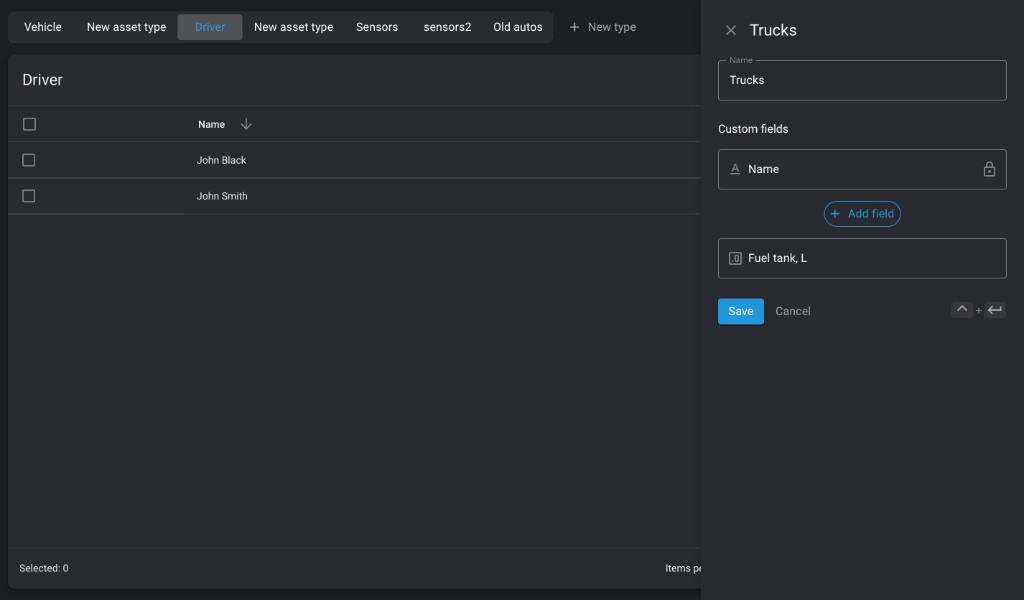
One decision in that design is permanent, and it's worth planning around: a field's type is fixed when the field is created. Titles, validation bounds, and requiredness stay editable, and a field you've stopped using can be archived and restored.
The type itself is the exception — moving a field from text to a reference, or from a number to an option list, means deleting the definition and creating a new one, and the values already written under the old definition stay behind in stored data with nothing backing them. Treat picking a type the way you'd treat a column type in a schema you can't migrate: for an integrator designing a model that customers will fill with real records, it's the most expensive decision on this page.
For the latest details as the preview evolves, see Implementing custom fields.
Use catalogs to keep business language consistent
Many business attributes come from controlled vocabularies: manufacturers, service categories, cargo classes, branch structures, cost centers.
Without catalogs, teams usually end up with string drift:
BoschBOSCHBosch GmbH
Business Data Repository API includes user-defined catalog structures so those values can be normalized once and reused across related objects.
As customer-specific modeling grows, this is one of the biggest quality multipliers: less cleanup, fewer mismatches, and fewer "same thing, three spellings" integration bugs.
Keep change context, not only current state
In operational workflows, current value is often not enough.
A common question is not "What value does this object have now?" but "What value did it have when this event happened?"
Business Data Repository API includes entity history/audit-oriented change context so integrators can build interfaces where timeline and provenance matter, not only latest state.
For internal operations, regulated processes, incident investigation, and customer-facing admin tooling, this can be significantly more useful than a flat set of editable fields.
Handle common telematics operations with less glue code
Integrators often spend time on repeat operational tasks that sit between "simple CRUD" and full workflow engines.
A good example is device replacement. When a tracker is moved from one asset to another, the data model should support that relationship change cleanly, rather than forcing brittle, multi-step synchronization logic around detached IDs.
The same applies to multi-device situations, where one attached device needs to be clearly marked as primary.
These are not headline promises by themselves. But they reflect the same design direction: model operational relationships directly, instead of making every integrator rebuild them around disconnected identifiers.
Why GraphQL fits this model
Business Data Repository API uses GraphQL, which is a good fit for connected data modeling.
Integrators can request exactly the fields and related objects an interface needs, instead of collecting full payloads from multiple fixed endpoints and stitching them together afterward.
For interactive products — operations consoles, customer portals, internal tooling, admin interfaces — that usually means less transport overhead and cleaner application logic.
The larger takeaway
Telematics systems live inside broader business operations. Vehicles are connected to trailers. Equipment belongs to sites. Assets are tied to contracts and customer structures. Those relationships are specific to each company.
Business Data Repository API is being built to make that business context modelable: define the structures you need, connect them, validate them, and track how they evolve.
For integrators, the practical upside is straightforward: less time fighting a fixed vendor schema, and more freedom to model how the customer actually runs their operation.
If you want to track how this model evolves before release, start with the Business Data Repository API docs index and monitor updates in the preview guides, including custom field filtering/sorting behavior in the custom field filtering reference.
On this page
- The connected operations model
- Start with business objects, not only platform defaults
- Connect records instead of storing IDs as plain text
- Add attributes that match each object's job
- Use catalogs to keep business language consistent
- Keep change context, not only current state
- Handle common telematics operations with less glue code
- Why GraphQL fits this model
- The larger takeaway