Construction and heavy equipment

    Stop chasing equipment answers across every site

    Navixy helps bring the last reported location and the usage data your machines can provide together with your project assignments and maintenance plans. Before you move, return, or service a machine, your equipment manager sees the essentials and makes the call.

    Where the machine last reportedWhich project it is assigned toWhether service is approaching
    Unbranded tracked excavator staged before a move between projects
    Move reviewIllustrative configured view
    EX-214 · Excavator
    Latest location received
    West staging area
    Updated 12 minutes ago
    Project
    North site
    Customer assignment
    Maintenance
    12 engine hours remaining
    Device counter
    Decision ownerEquipment manager

    When the spreadsheet and the field stop matching

    A machine is listed on one project, reports from another site, and is approaching service. The answer sits across a tracker portal, project sheet, rental record, maintenance plan, and calls to the field.

    Each source answers only part of the question

    Tracking data describes the machine. Project and rental records add company context. The field team confirms whether the equipment can actually move. The equipment manager makes the decision.

    Unbranded tracked excavator staged before a move between projects
    EX-214 · Excavator
    Where is EX-214—and can it move today?
    One move · four places to check
    Tracker portal
    Latest location received
    West staging areaUpdated 12 minutes ago
    Project sheet
    ProjectNorth site
    Customer assignment
    Maintenance plan
    12 engine hours remaining
    Device counter
    Site call
    The site team has the latest context
    A call may reveal that the machine is still needed, blocked in, or waiting for transport.
    Decision owner
    Equipment manager

    The site team has the latest context

    A call may reveal that the machine is still needed, blocked in, or waiting for transport.

    Project and rental records live elsewhere

    Assignment and owned-or-rented status often sit outside the tracking data.

    Maintenance can change the move

    A date, mileage, or engine-hour threshold can turn a transfer into a service stop.

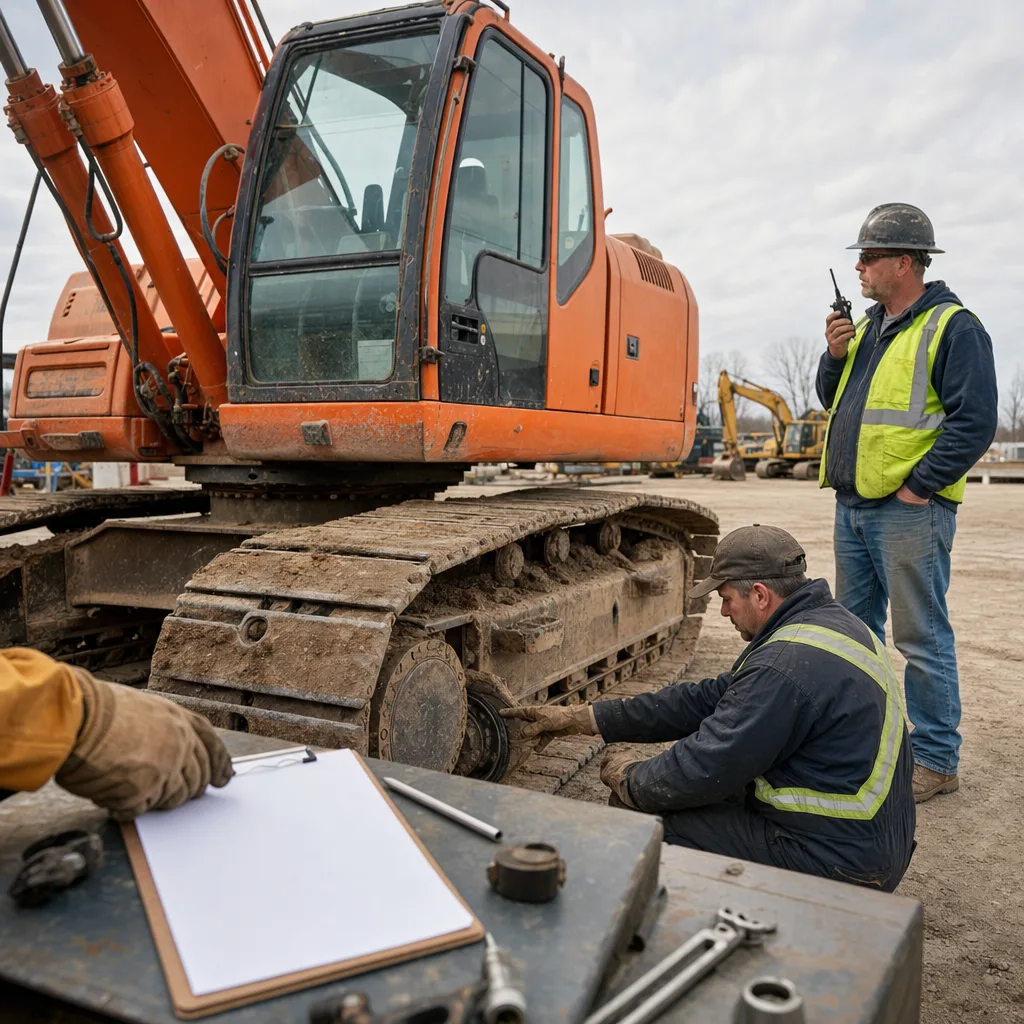
    Construction equipment manager and field colleague review an excavator before a move
    Move review · field context
    From review to field action

    Check the machine with the people who know the site

    Before transport arrives, the equipment manager and field colleague check one machine together. They compare the shared information with what is happening on the project, then decide whether it can leave, stay, return, or go to service.

    • The field team confirms whether the project can release the machine
    • The manager chooses move, rental return, service, or hold
    • The next action goes to the person responsible for carrying it out
    One machine, one decision

    Bring the essentials together before you move it

    Can EX-214 move to the next job?
    Move review
    Last reported: West staging area · GPS device · 12 min ago
    Assigned to: North site · company record
    Status: Owned equipment · company record
    Service: Due in 12 engine hours · device counter
    Decision ownerEquipment manager

    Navixy brings machine location and usage data together with project, ownership, and maintenance records from your team. Check where the machine last reported, which job it belongs to, whether it is owned or rented, and whether service is due.

    • Latest location received, with its update time
    • Project assignment and owned-or-rented status
    • Usage and maintenance information the machine can provide
    • The person responsible for the next action
    A practical service handoff

    Plan service around due machines and their locations

    See which machines are due by date, mileage, or engine hours and where they last reported. Your team chooses what can be serviced; Navixy can then order the selected stops for the field visit.

    1. 01Find what is due
    2. 02Check the latest location received
    3. 03Confirm what can be serviced
    4. 04Order the selected stops
    Is this a fit?

    Use Navixy where the same equipment question keeps coming back

    This approach is strongest when moves, rental returns, or service decisions repeat across several sites and the answer sits across machine data and company records.

    • Good fit — your team repeatedly checks the same facts before a move, return, or service stop
    • Good fit — each tracker and company record can be matched to the right machine
    • Not a fit — your current construction system already resolves the decision well
    • Not a fit — you need a ready-made schedule or universal OEM coverage
    • Not a fit — no one owns the project records or the next action
    What the setup needs
    Machine data
    • Supported tracker
    • Location and update time
    • Available usage counter
    Your records
    • Project assignment
    • Owned or rented
    • Maintenance plan
    People
    • Delivery owner
    • Equipment manager
    • Next-action owner
    Common questions

    What can Navixy help with?

    Can this work with a mixed construction fleet?
    Yes, when the required data is available. Start by checking what each machine and tracker can report, then match that with the company records used for that equipment class.
    Is this a ready-made live equipment schedule?
    No. It is configured around your data and workflow. The setup depends on your machine sources, project and ownership records, update timing, and the decision your team needs to make.
    Can machine activity prove productive work?
    No single reading proves project output. Location, movement, ignition, and available engine-hour readings can support a review, but they do not establish excavation, lifting, payload moved, or completed work.
    Can this help with maintenance and field-service visits?
    Yes, when a maintenance counter and machine locations are available. Your team chooses the feasible service stops; Navixy can order those selected checkpoints for the visit.

    Choose one move, return, or service case

    Tell us where the answer gets stuck today—between sites, calls, spreadsheets, tracking data, or maintenance records. We will show where Navixy can help and what a useful setup would need.

    Start with the problem; we can review the data details after the first conversation.