How to verify CAN data on a Chinese truck with no FMS gateway
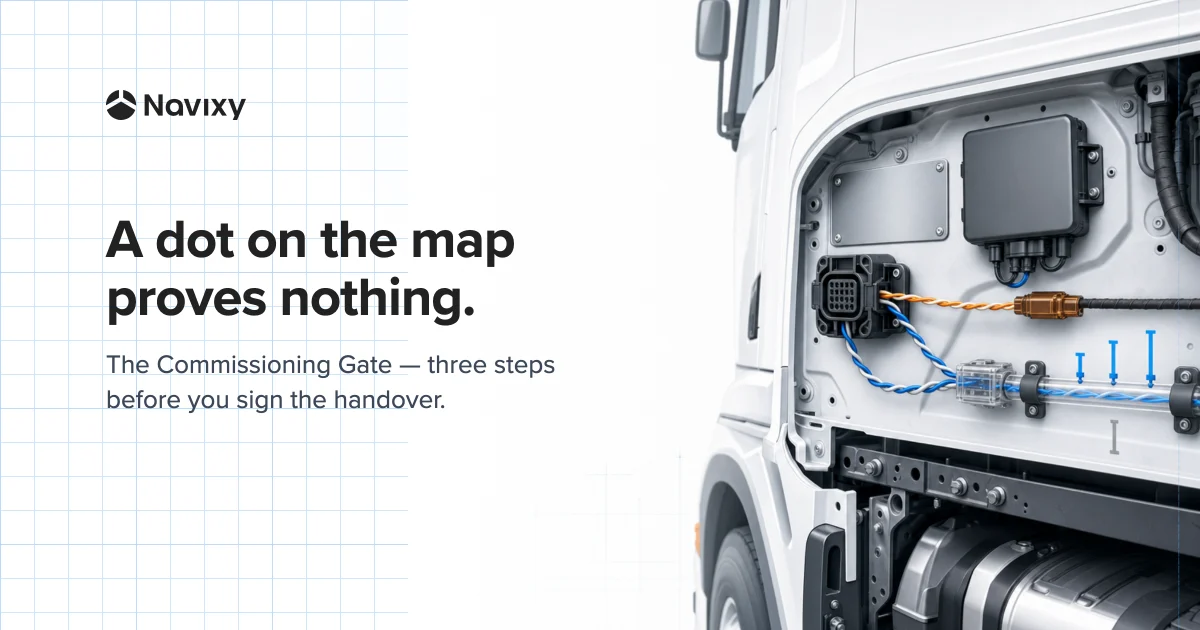
On a European truck, an installer usually looks for the FMS gateway, plugs in the terminal, and gets a familiar set of parameters. A Chinese truck may not have that connector. That doesn't mean the vehicle has no CAN data, or that it speaks some different technical language — usually, it just has no standardized output built specifically for third-party telematics.
So the actual parameter set has to be verified on that specific vehicle. This post calls that check the Commissioning Gate: confirm which attributes actually reach the platform, physically provoke each declared one, and keep a log of the test. Here's why the usual connection method comes up short on these trucks, and how to run the Gate before signing off on the install.
Why the FMS gateway comes with a ready-made data set
The plug-in-and-get-engine-hours habit didn't appear on its own. European manufacturers agreed on the FMS standard and built a dedicated gateway with its own connector. Through it, a curated set of data goes out: fuel consumption, RPM, engine hours, VIN, engine temperature, AdBlue level, PTO engagement, and more.
The FMS gateway gives a third-party terminal limited, pre-described access. Manufacturers don't allow a direct connection to the internal bus, partly over warranty risk. That's how the FMS connector became the default place an installer plugs in.
Why a Chinese truck may not have an FMS gateway
China's mandatory standards solve a different problem: they require vehicle data to reach government monitoring platforms.
The distinction is simple once it's stated. European FMS standardizes an interface for third-party hardware. Chinese mandates standardize a reporting channel to the regulator. Data exists in both cases — a ready-made output for a third-party GPS terminal is only built into the first one.
A factory emissions-monitoring terminal leaves the standard diagnostic connector available; if that port is occupied, a second one is meant to be provided. Connecting extra hardware is usually possible. Its available parameters therefore have to be identified on the truck.
No FMS gateway doesn't mean no CAN or J1939
An absent FMS gateway does not by itself make the bus unusual. On electronically controlled configurations covered by mainstream adapter catalogs, CAN and J1939 remain familiar. Engine RPM, coolant temperature, road speed, and other basic parameters are commonly present.
That is not universal. Some lower-emissions export configurations may use mechanical injection rather than an electronically controlled engine. On those vehicles, an engine ECU — and therefore J1939 engine data — may be absent. The first check is whether that specific VIN has an ECU and an accessible bus; only then does it make sense to inventory messages.
The differences show up in which messages are actually available and how they're decoded. Some parameters ride standard J1939; others depend on the manufacturer and the specific vehicle configuration. The available messages have to be inventoried on the vehicle.
The parameter set depends on the specific vehicle
Without a mandatory FMS set, the number of available parameters becomes a property of the vehicle's exact configuration. Teltonika's FMX150 catalog makes this visible: two HOWO trucks can sit in adjacent rows, one profile carrying six parameters, the other twenty-six.
Vehicle-to-vehicle variation also appears in European catalogs. Teltonika's CAN-adapter support lists give the Mercedes ACTROS around fifteen entries, split by generation and variant. Even the rFMS spec warns that a parameter marked mandatory can be missing from the response if the vehicle doesn't support it.
The actual data has to be checked on European and Chinese trucks alike. The difference is what an installer starts from: with FMS, there's a spec to check against; without it, the starting list has to be built on-site.
In practice, a dealer's answer is a useful starting point; the decisive check belongs on the vehicle on installation day. A companion post shows that check on one packed status bit.
Sometimes CAN transmission has to be switched on in the ECU
Sometimes the data and the standard bus are both there, while the vehicle configuration keeps the engine control unit from transmitting.
That exact case is documented in a dealer pre-delivery instruction for the SITRAK C7H-Max. A technician has to enable a "CAN Signal" parameter in the factory software and write the change to the ECU. Only after that does the engine control unit start transmitting on the CAN bus.
That specific procedure belongs to one model and one control unit; a different chassis calls for different steps. The class of problem is worth carrying forward as factory permission to transmit: the ECU has to put the data on the bus before decoding can begin.
How to verify CAN data before signing off on an install
This is the Commissioning Gate. It runs once per VIN, in three steps.
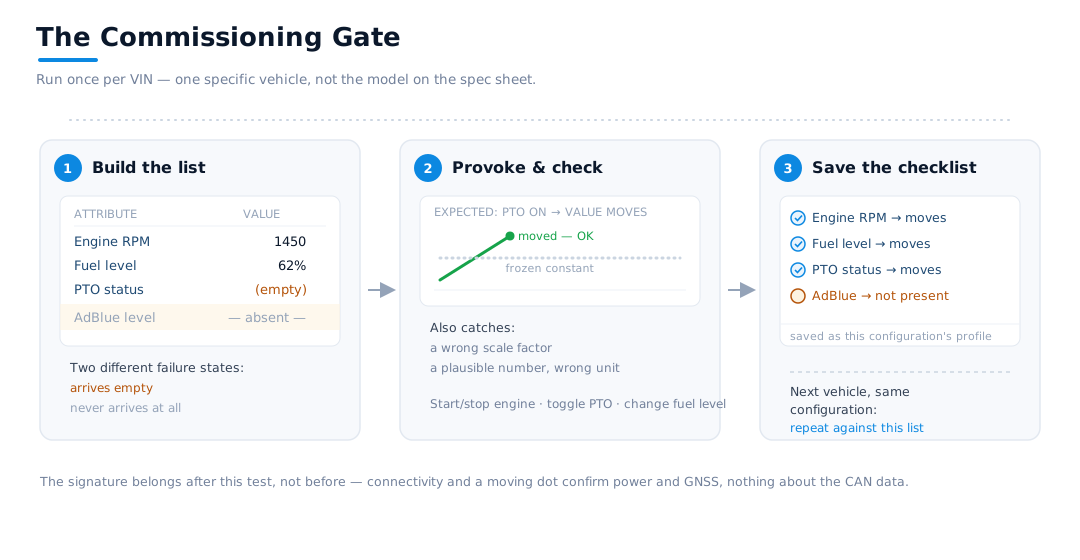
- Build the actual attribute list. Confirm which parameters actually arrive from this vehicle, and separate two failure states right away: an attribute that's simply absent, and one that arrives with an empty value.
- Change a parameter and check the result. Start and stop the engine, engage the PTO, change the fuel level — then check whether the matching value moved. This catches a frozen constant, a wrong scale factor, or a plausible-looking number in the wrong unit.
- Save the log as a checklist. Export the test log, record the actual attributes and the change each one is expected to show. On the next vehicle of the same configuration, repeat the check against this list instead of starting over.
The right moment to sign off is after this test, not before — in our experience, a connected device and a moving dot on the map are the weakest possible evidence for a handover signature. They confirm power and GNSS reception. They prove nothing about whether the CAN data is correct.
How to verify CAN data in Navixy during installation
A CAN adapter or GPS terminal decodes the bus messages and sends the platform finished attributes. Navixy's part is to show exactly what reached the platform, and how the configured scenario is processing those values.
In IoT Logic, that's Flow Inspector. It shows a device's raw attributes next to a scenario's computed attributes side by side, in real time. While an engineer starts the engine or switches on a piece of equipment, the tool shows immediately whether the right parameter moved.
Empty values stay visible in the table, so a missing attribute is easy to tell apart from one with no value. A short value history shows whether a parameter changed during the test. After commissioning, the Flow Inspector log can be exported to JSON and attached to the handover record, or kept as the checklist for that configuration going forward.
That's how Navixy adds a CAN-data check to fleet monitoring at the point of installation.
Run the Commissioning Gate in Flow Inspector before you sign off
On the next install, open Flow Inspector before signing the handover. Build the actual attribute list, change every declared parameter, and keep the exported log with the handover record.
On the first vehicle of a new configuration, this test costs extra time. On every install after that, a ready checklist says exactly which attributes and changes to verify again. The result is a commissioning record built on data that actually reached Navixy from that specific vehicle.
On this page
- Why the FMS gateway comes with a ready-made data set
- Why a Chinese truck may not have an FMS gateway
- No FMS gateway doesn't mean no CAN or J1939
- The parameter set depends on the specific vehicle
- Sometimes CAN transmission has to be switched on in the ECU
- How to verify CAN data before signing off on an install
- How to verify CAN data in Navixy during installation
- Run the Commissioning Gate in Flow Inspector before you sign off